Video Prospecting Scripts: Templates for Cold Outreach

A good video prospecting script runs 30 to 60 seconds and has four beats: a hook that names the prospect and a specific trigger, a reason it matters to them, one outcome you deliver, and a single low-friction ask. Write it the way you talk, record two or three takes, and send the best one. Below are ready-to-adapt scripts for a cold intro, a role-based message, a re-engagement and a post-call recap, plus guidance on length, captions and metrics.
If you sell SaaS into multi-stakeholder deals, you already know the real problem: your email is competing with a hundred others, and the person reading it has never heard your name. A short video gives them a face and a reason to reply. The script decides whether they do.
TL;DR
- Use four beats: hook, relevance, value, ask. Keep the whole thing under 60 seconds for cold outreach and never past 90.
- Open with the prospect’s name and a specific trigger. Skip “hope you’re well” and save your own name and company for later.
- Write for the ear: contractions, short sentences, read aloud until it sounds like you. A bullet outline often beats a word-for-word script.
- Add captions, because many people watch with the sound off.
- Judge success by replies and meetings booked, not by views.
Table of Contents
- What a prospecting video script actually needs
- Make it sound like you, not like a script
- Video prospecting script examples you can adapt
- Personalize by role, company and trigger
- How long should the video be?
- Captions: write the script so it still works on mute
- Measure replies, not views
- Where prospecting video fits in the full deal
- Perspective
- Turn your scripts into a repeatable workflow
- FAQ
- Sources
What a prospecting video script actually needs
Most scripts that work are built on the same skeleton. The timings vary a little from guide to guide, but the logic does not.
| Beat | Seconds (30-60 sec video) | Job | Words (approx.) |
|---|---|---|---|
| Hook | 0 to 8 | Prove this video is for them, not a blast | 12 to 20 |
| Relevance | 8 to 25 | Name a problem they likely have, as a hypothesis | 35 to 50 |
| Value | 25 to 45 | One outcome, not a feature list | 30 to 45 |
| Ask | 45 to 55 | One easy next step | 15 to 25 |
These ranges are our working version of the pattern most practitioner frameworks share, not a law. Here is how to write each beat.
The hook: say why this video exists
Your first five seconds answer one question: why is this person getting a video from a stranger? Say their first name, then the specific thing you noticed. A funding round, a job posting for three new AEs, a product launch, a post they wrote, a tool in their stack.
Compare two openings:
- Weak: “Hi Sarah, I hope your week is going well. My name is Dan and I work at…”
- Better: “Sarah, I saw you’re hiring three account executives, and I had one idea about what that does to your ramp.”
The second one is about her. The first is about you. One test we like: if the hook could be sent to ten other companies without changing a word, it is not personalization, it is a mail merge with a face on it.
One piece of advice from the script-writing world is worth stealing: write the hook last, after you know the payoff. Hooks fail when they open with context instead of the point.
Relevance: a hypothesis, not a diagnosis
You do not know their business better than they do. So frame the problem as something you suspect: “Teams that grow reps that fast usually find onboarding becomes the bottleneck.” If you are wrong, they correct you, and that is still a reply.
Value: one outcome
One sentence, one result. “We help teams cut the time new reps spend on prep so they book meetings in their first week.” Do not list features. Nobody forwards a feature list to their boss.
The ask: small enough to say yes to
Do not ask for 30 minutes on the calendar in the first video. Ask a question, or offer a short next step: “Worth a quick look?” or “Want me to send a two-minute walkthrough?” A micro-commitment gets replies that a meeting request does not.

Make it sound like you, not like a script
The fastest way to kill a good script is to read it like a press release. A few habits fix that:
- Write the way you talk. Use contractions, short sentences and direct address. Guidance on sounding natural on camera recommends reading each sentence aloud while you edit and changing whatever sounds written.
- Outline instead of memorizing. Four bullet points on a sticky note next to your webcam keep you on track without the glazed eyes of a teleprompter read.
- Limit your takes. Two or three is plenty. The first take is usually the most natural, and by take eight you sound like a hostage.
- Do not obsess over production. A slightly imperfect video with a sharp hook beats a polished one with a generic pitch. Good lighting and clear audio are enough.
- Look at the lens, not the screen. It feels strange for about a week, then it doesn’t.
Video prospecting script examples you can adapt
The scripts below are original templates written for this article. The names and companies are placeholders. Swap in your own trigger, outcome and ask, and read each one out loud before you record.
1. Cold intro (about 30 seconds)
“Sarah, I saw Acme is hiring three new AEs. That usually means pipeline targets just went up. The thing that tends to slip is how fast those reps get prepped for real conversations. We help sales teams get new reps ready for calls in days instead of weeks. I’m Dan, from [Company]. Worth a quick look?”
Why it works: the hook is a real observation, the problem is stated as a pattern, there is one outcome, and your name comes last.
2. Role-tailored value message (about 45 seconds)
When you are writing to someone who owns a number, talk in their terms.
“Marcus, as VP of Sales you’re probably watching how long deals sit between the first demo and a signature. In most multi-stakeholder deals, the demo goes well, and then your champion has to re-explain it to a CFO who wasn’t in the room. We help teams send that CFO a short, tailored recap so the champion doesn’t have to re-sell from memory. Can I send you a two-minute example built around your product?”
The same idea for a technical buyer changes the language, not the structure: talk security reviews and implementation, not pipeline. For more on matching content to the person watching, see our guide to a personalized demo video buyers forward.
3. Follow-up when they went quiet (about 20 seconds)
“Jordan, I know things get buried. I’m reaching back because we just shipped something that speaks to the data-cleanup issue you mentioned in March. If the timing’s better now, I’ll send a short walkthrough. If not, just say the word and I’ll stop cluttering your inbox.”
That last line matters. Giving people an easy way out tends to make a reply more likely, not less. It also lowers the pressure that makes cold outreach feel pushy.
4. Post-call recap (about 60 seconds)
This one is not cold, but it is the most underused script in the deck. After a discovery call or demo, record a short message that covers four things: what you heard, the concern they raised and your answer, the agreed next step, and the date of the next meeting.
“Priya, thanks for the time today. Quick recap of what I heard: you need reporting your finance team can trust, and you’re worried about the security review. On the second point, I’ll send our security overview today so your CISO has it before Thursday. Next step is the technical session on the 14th at 2. I’ll send the invite right after this.”
We go deeper on timing and structure in how to send a demo follow-up email within two hours and in our guide to demo recap videos.
5. LinkedIn DM (about 25 seconds)
“Tom, I read your post on onboarding new reps and one line stuck with me, the one about ramp time. We work on exactly that for SaaS teams. No pitch here, I’d just like to hear how you handle it. Mind if I send over a short example?”
Keep DMs shorter than email videos. Messaging is a quick-glance medium.
Personalize by role, company and trigger
Personalization is a spectrum, and it helps to know where you are on it:
- Light: their name and company on screen.
- Medium: their industry, terminology and a relevant data point.
- Deep: a narrative around their pain, their role and their tech environment.
The point of tailoring is to show what matters to the person watching. A CFO wants to hear about cost, risk and payback. A security lead wants to hear about data handling and access. An ops leader wants to hear about workflow. If you send all three the same video, it is, as one practitioner put it, a brochure with a play button.
A simple routine for a batch of ten high-value accounts:
- Pick one trigger per account (a hire, a launch, a post, a tool change).
- Map it to one pain you can credibly solve.
- Fill in the four beats in two minutes.
- Record, caption, send, and log the reply.
Start small. Ten great videos teach you more than a hundred mediocre ones.
How long should the video be?
Short. Most practitioner guidance lands between 30 and 90 seconds for cold outreach, with email videos running a little longer than LinkedIn messages. Past 60 to 90 seconds, people tend to stop watching. Our own rule of thumb:
- LinkedIn or text DM: 20 to 35 seconds.
- Cold email: 30 to 60 seconds.
- Post-call recap: up to about 90 seconds, since they already know you.
Channel matters as much as length. Email is the workhorse, but a sequence that mixes email, social messaging and a follow-up works better than any single send. If you are deciding where each video should go, this overview of lead nurturing strategies is a helpful companion for planning the touches after the first message.
A sequence we like:
- Touch 1: a personalized intro video by email.
- Touch 2 (a few days later): a shorter video on a different channel, with a new angle.
- Touch 3: a value-first follow-up with a relevant resource.
- Touch 4: the “say the word and I’ll stop” re-engagement.
Most replies show up on the second or third touch, so sending once and forgetting is the most common way to waste a good video.
Captions: write the script so it still works on mute
People open videos in meetings, on trains and in open offices. If your message depends on sound, some of it will be lost. Captions solve that, and they make your video accessible to viewers who are deaf or hard of hearing.
A few practical standards, drawn from a captioning guide:
- Captions should be synchronized to the audio and spelled and punctuated properly.
- Each caption should stay on screen for roughly 1.33 to 6 seconds.
- Keep it to two lines at most, and break at natural speech pauses.
- Place captions at the bottom center so they never cover key visuals.
This changes how you write. Short sentences caption cleanly. Put the prospect’s name and the ask in plain words, because auto-generated captions stumble over jargon and unusual company names. Always read through the caption file before you send.
Measure replies, not views
Views feel good and prove little. Email open tracking is unreliable, and a view does not mean interest. A better hierarchy:
- Reply rate. The cleanest signal that the script worked.
- Meetings booked per video sent. The signal that the ask worked.
- Watch-through rate. Tells you whether the length and hook hold attention.
- Views and opens. Directional only.
Track outcomes downstream too. A video that gets replies but no pipeline is telling you the ask or the audience is off.
Mistakes that cost replies
- A generic hook dressed as personalization. Rewrite it until it could only be sent to one company.
- Leading with your name and company. Lead with their situation.
- Pitching the product instead of the problem.
- Going over 90 seconds on a cold message.
- Asking for too much. Ask a question before you ask for a calendar slot.
- Mismatched subject line. If the subject says “quick question” the video should deliver one.
- Send and forget. Plan the follow-up before you send the first video.
Where prospecting video fits in the full deal
The first video earns the reply. What happens after the reply decides the deal. The champion who agrees to talk to you still has to carry your message to people you may never meet, which is why we think about video across the whole cycle rather than only at the top of the funnel. A tailored recap after a call, a short role-specific demo clip, and an async follow-up sequence all use the same four-beat skeleton. If that interests you, read about asynchronous sales demos and product demonstration examples that close B2B deals.
Perspective
I built TrailerCast because I kept watching the same thing happen. A seller would do a great call or demo, the champion was excited, and then the deal died in an internal meeting the seller wasn’t part of. The calls were never the problem. The space between them was.
That is why we think about video prospecting as the first step in a chain, not a trick for the top of the funnel. The script you write for a cold intro uses the same skeleton you will need for the recap after discovery, the CFO version of a demo and the follow-up that nudges a stalled deal. Hook, relevance, value, ask. If you can do that quickly and keep it consistent, you build trust at every step.
What slows most sellers down is the work around the video: remembering what was said on three calls ago, finding the 10 minutes of a demo that mattered, making a version for each stakeholder. We designed TrailerCast so one AI follows the whole deal, from the call recording to the tailored trailer to the buyer-facing room, so the next video you record starts from what the buyer actually told you. Our approach is to take the busywork off your plate and leave the human part, the face and voice on camera, to you.
Daniel
Turn your scripts into a repeatable workflow
Scripts are the easy part. Doing this for every deal, every stakeholder, week after week is where most teams stall. TrailerCast puts the call notes, AI-edited demo trailers, buyer-facing deal rooms, eSignature and post-close handoff in one workspace, so the context for your next video is already there. It is one plan with every feature, from $59 per month per seat. You can see how it works on the TrailerCast plan page.
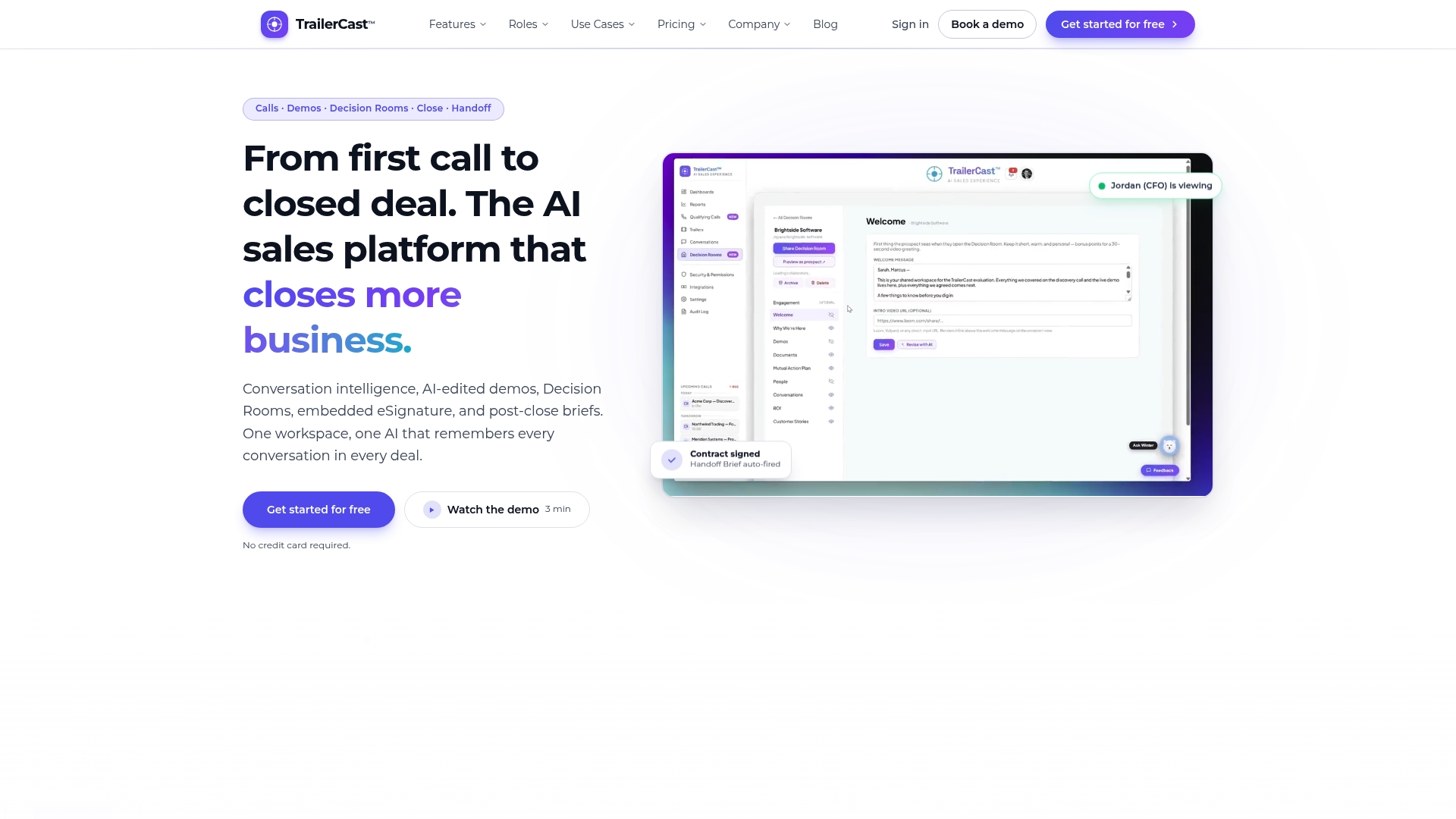
If you want to start with the call side, our discovery call notetaker captures the triggers and objections that make the best hooks, and AI demo trailers turn a recorded demo into something a champion can forward.
FAQ
Do I need a word-for-word script for a video prospecting message?
Not necessarily. A word-for-word script helps when you are new to the format or nervous on camera. Many sellers do better with four bullet points, one per beat, so the delivery stays natural. Write the script first, then trim it into an outline once you know it.
What is the best length for a sales video script?
For cold outreach, aim for 30 to 60 seconds, which is roughly 75 to 150 spoken words. Shorten it to around 25 seconds for a LinkedIn message. Longer videos suit warm contacts, such as a post-call recap.
What should I say in a video prospecting follow-up?
Reference the first message briefly, add something new, such as an insight, a relevant result or a short walkthrough, and make one small ask. A re-engagement video that offers an easy out, such as “say the word and I’ll stop,” tends to feel respectful rather than pushy.
Do prospecting videos need captions?
Yes. Many viewers watch without sound, and captions also make your video accessible. Keep them accurate, synchronized, no more than two lines at a time, and check names and jargon before you send.
How do I know if my video prospecting scripts are working?
Track reply rate first, then meetings booked per video sent, then watch-through rate. Treat opens and views as directional. If replies are low, rewrite the hook. If replies come but meetings don’t, rework the ask.
Sources
- The Ultimate Guide to Video Prospecting in Sales
- Video Script Writing: How to Sound Natural on Camera
- What is a caption? The simple captioning guide