Personalized Demo Video: How to Make One Buyers Forward

A personalized demo video is a short product walkthrough built for one buyer or one stakeholder. It shows only the workflows that match their role, industry and concerns, so it can be watched without you in the room. The fastest way to make one is not to record a new demo for every prospect. Cut it from the live demo you already gave, then tailor the framing for each person who needs to see it.
This guide is for SaaS sales professionals, sales engineers and solutions consultants. It covers when personalization is worth the effort, how to tailor it, how to produce it at scale, and how to tell whether it works.
TL;DR
- A personalized demo video swaps the generic tour for the slice of your product one stakeholder cares about: ROI for the CFO, controls for security, daily workflow for the end user.
- Use it where the live demo falls short: stakeholders who weren’t on the call, stalled deals, and new contacts you’re multi-threading into.
- Don’t record from scratch each time. Start with the real demo recording, pull the moments that mattered, and add a role-specific intro and next step.
- Keep each video focused on one question from one person, and end with a single clear action.
- Measure watch time, drop-off points and next-step conversions, then adjust the content.
Table of Contents
- What a personalized demo video actually is
- Why the space between calls is where deals stall
- When a personalized video is worth making
- How to tailor the video to each stakeholder
- How to create one, step by step
- How to do it at scale without recording everything again
- Length, content and production: what makes a video clear
- Perspective: personalization is about the people who weren’t there
- Measuring whether it works
- Common mistakes to avoid
- Run it all in one place with TrailerCast
- FAQ
- Sources
What a personalized demo video actually is
A standard demo walks through the product in the order your team likes to present it. A personalized demo video walks through the product in the order this buyer needs to see it.
The difference is not a first name on a thumbnail. Real personalization changes three things:
- What’s included. Features and workflows tied to the buyer’s industry, role and use case. Everything else is cut.
- How it’s framed. The opening line refers to something the buyer said on a call, not to your company history.
- What happens next. The video ends with a step that fits where the deal is, such as a security review, a pricing conversation or a pilot with the team.
The other searches people run on this topic, personalized sales video and personalized demo clips, point at the same idea. A sales video can be a quick face-to-camera note. A demo clip is a cut from a product walkthrough. The strongest asset combines them: a few sentences addressed to the person, then the exact product moments that answer their question.
Why the space between calls is where deals stall
I’ve watched the same story play out many times. Your champion loves the demo. Then they walk into a meeting with a CFO who wasn’t there, or a security lead who has a list of questions, and they have to re-sell your product from memory. Maybe they forward a recording nobody will sit through. Maybe they send a PDF. The deal dies in an internal meeting you weren’t part of.

The live demo was never the problem. The gap after it is. A personalized video is a way to put a short, relevant version of you into that room.
When a personalized video is worth making
Not every prospect needs one. Producing a custom video takes effort, even with good tooling, so spend it where it changes the outcome. Guidance for B2B sellers says short personalized videos are useful when stakeholders can’t attend a live demo, and when follow-up questions can be answered visually instead of with another meeting. That matches what we see in practice. These are the moments that justify the effort:
- After the demo, for people who weren’t there. The CFO, the procurement lead, the IT manager.
- When a deal goes quiet. A short video that answers the objection you suspect is blocking progress gets a reply more easily than another “just checking in” email.
- When you add a new stakeholder. Multi-threading works better when your first touch with a new person is useful on its own.
- When the question is visual. If the answer is “here’s how that screen works,” show it instead of describing it.
- For high-value accounts. Reserve fully individual videos for deals where the contract size justifies them, and use role-based versions everywhere else.
A useful rule: if the video would only need to be changed by a name, it’s a template. If it changes the content for the viewer’s job, it’s personalization. Use templates for volume and true personalization where the deal is large or at risk. For more on the broader case for video in B2B pipelines, this piece on B2B video marketing that shortens sales cycles is worth a read.
How to tailor the video to each stakeholder
Start with what you know. Pull from your discovery notes: the prospect’s company, their role, what success looks like for them, how the decision gets made, and the technical requirements they mentioned. Then build the video around one persona at a time.
| Stakeholder | What they’re asking | What the video should show | How it should end |
|---|---|---|---|
| CFO or economic buyer | Is this worth the money, and what’s the risk? | The business case: time saved, cost avoided, how value shows up in metrics they track | A pricing or ROI conversation |
| Security or IT lead | Will this pass our review, and does it fit our stack? | Access controls, integrations, data handling, where to find documentation | A security review or a call with your technical contact |
| End user or team lead | Will this make my day easier? | The daily workflow, step by step, with the friction points they named | A trial or hands-on session |
| Champion | How do I make this easy to sell internally? | A short recap of what they already liked, ready to forward | Forwarding the video with a note |
A few habits make the difference:
- Open with their problem in their words. If the CFO said on the call that budget is tight this quarter, the first ten seconds should speak to that.
- Cut anything they didn’t ask about. A feature you love but they never mentioned is a reason for them to stop watching.
- Answer one question per video. Three stakeholders with three concerns means three short videos, not one long one.
- Show the product, not slides. Buyers want to see the screen where their problem gets solved.
If you want worked examples of what good demo content looks like, our product demonstration examples walk through formats that moved real B2B deals. For the finance conversation specifically, we wrote about the questions CFOs ask and the clips that answer them.
How to create one, step by step
Here is a workflow that works whether you record by hand or use software to do the heavy lifting.
1. Record the source material once
Record the live demo or a clean walkthrough. Good source material has a clear voice, a readable screen, and moments where you tie features to the buyer’s stated needs. If you run calls on Zoom, Meet or Teams, a meeting recorder gives you transcripts and searchable moments to cut from. You can also record from the browser without installing anything.
2. Decide the one job of the video
Write one sentence: “After watching, [name] will understand [one thing] and take [one action].” If you can’t finish it, the video isn’t ready to be made.
3. Pick the moments that matter
Look through the transcript for the stretches where the buyer leaned in, asked a question or reacted. These usually make a better video than a full walkthrough. Most of a long demo is context the viewer doesn’t need on the second pass.
4. Add a short, personal frame
Record a brief intro that names the person and the problem, and close with the next step. This is where it stops feeling like a recording of someone else’s meeting. If you tend to ramble on camera, plan the opening with a simple script. A guide on writing a demo script can help you keep it tight.
5. Tighten and brand it
Trim pauses and tangents, add an agenda or title card so viewers know what they’ll see, and keep your branding consistent so the video looks like a finished asset and not a raw clip.
6. Deliver it where the buyer will watch it
Send a link in a short email that tells the recipient why they should watch and how long it takes. Better still, put it in a shared space with the rest of the deal materials, so the champion has one place to point colleagues to.
How to do it at scale without recording everything again
The objection I hear most from sales engineers is time. “I can’t record a new demo for every stakeholder on every deal.” You don’t have to. The scalable approach is to separate the source from the packaging:
- One recording, many cuts. The same demo yields a CFO cut, a security cut and an end-user cut, each using different moments.
- Reusable building blocks. Keep a library of clips for common questions: integrations, permissions, reporting, onboarding. Pull them in by persona.
- Automation for the first draft. Software can find the key moments in a recording and assemble them, so your time goes into review and the personal intro.
This is what we built TrailerCast to do. From a demo recording, the AI picks the 8 to 15 minutes that mattered and stitches them into a branded trailer with intro, agenda and outro slides. You can add narration in your cloned voice in more than 15 languages, and personalize a trailer per prospect or even per stakeholder, so a CFO trailer talks pricing and a CISO trailer talks security. You can read more about AI demo trailers made from real sales calls and see how branded trailers from sales demos come together.
If the video you need is a quick recap right after the call, our guide to demo recap videos covers how to turn a demo into a follow-up in minutes.
Length, content and production: what makes a video clear
There’s no magic number, but the logic is simple: the video should be as long as the question it answers and no longer.
- Quick answers: A single objection or how-to question can be handled in a minute or two.
- Stakeholder summaries: A role-specific overview for a CFO or IT lead usually fits in a few minutes.
- Full recap trailers: When you’re giving a champion something to forward that replaces a demo they missed, a trailer in the 8 to 15 minute range, built from the real call, can carry more.
A few production notes that matter more than polish:
- Audio first. Buyers forgive imperfect visuals faster than muffled sound.
- Zoom and highlight. Make sure what you’re pointing at is readable on a laptop screen.
- Chapters or an agenda. People skim. Let them jump to the part meant for them.
- One call to action. Book a call, open the proposal, review the security page. Pick one.
- Human tone. You’re a friendly expert answering a question, not an announcer.
Perspective: personalization is about the people who weren’t there
Most advice on personalized demo video focuses on the person you already talked to. I think that’s the wrong target.
Your champion doesn’t need convincing. The people who need convincing are the ones who never saw your demo, and they’re making a judgment from a forwarded link, a PDF, or your champion’s best memory of a 45-minute call. That’s the space between conversations, and it’s where most B2B deals get lost.
That’s why we built TrailerCast around the whole deal and not just one call. Calls are captured and summarized, demos become trailers cut for each stakeholder, buyers get a shared room with everything in one place, and a single AI follows the opportunity from start to finish. It remembers what the CFO cared about because it was in the room when the champion said so.
We also think sellers shouldn’t need five tools and five logins to do this. One workspace means the personalization you do in a discovery call carries into the demo, the follow-up and the close, instead of getting lost between systems.
The best personalized demo video is one your champion can forward with a single sentence and trust to do the selling when you’re not there.
Daniel
Measuring whether it works
A personalized video is an experiment until you see what buyers do with it. Track a small set of signals:
- Completion rate and watch time. Do people finish, or leave at the same spot?
- Section-level drop-off. If viewers consistently skip the middle, that section doesn’t belong.
- Call-to-action clicks. Did they take the step you asked for?
- Conversion to next steps. Did a meeting get booked, a stakeholder join, a proposal get opened?
- Forwarding and new viewers. For a champion-forwarded video, new viewers are the best sign it’s doing its job.
Then compare. Try a short version against a longer one, a CFO-first framing against a product-first one, or a personal intro against none. Change one thing at a time. Ask buyers directly what was useful, too. A one-line reply often tells you more than the dashboard. For ideas on testing the ask at the end of your video, see this overview of why strong CTAs matter.
Asynchronous demos work best when you can see who watched and where they dropped off. We cover that approach in our guide to instrumented asynchronous sales demos.
Common mistakes to avoid
- Personalizing the greeting but not the content. A name on the thumbnail doesn’t answer the CFO’s question.
- Making the video a feature tour. Tie every section to something the buyer said.
- Sending it with no context. A one-line email explaining why this video, why now and how long it runs gets more plays.
- Hiding the next step. If the viewer must guess what to do, they won’t do anything.
- Leaving security questions to a recording nobody will rewatch. Put the answer in a short, targeted clip and link to your security page.
Run it all in one place with TrailerCast
If you’re stitching together a call recorder, a video editor, a sharing tool, a signature app and a handoff doc, the personalization usually gets lost along the way. TrailerCast puts the deal lifecycle in one workspace: AI note-taking on your calls, trailers cut from your demos, buyer-facing decision rooms, eSignature and post-close handoff briefs.
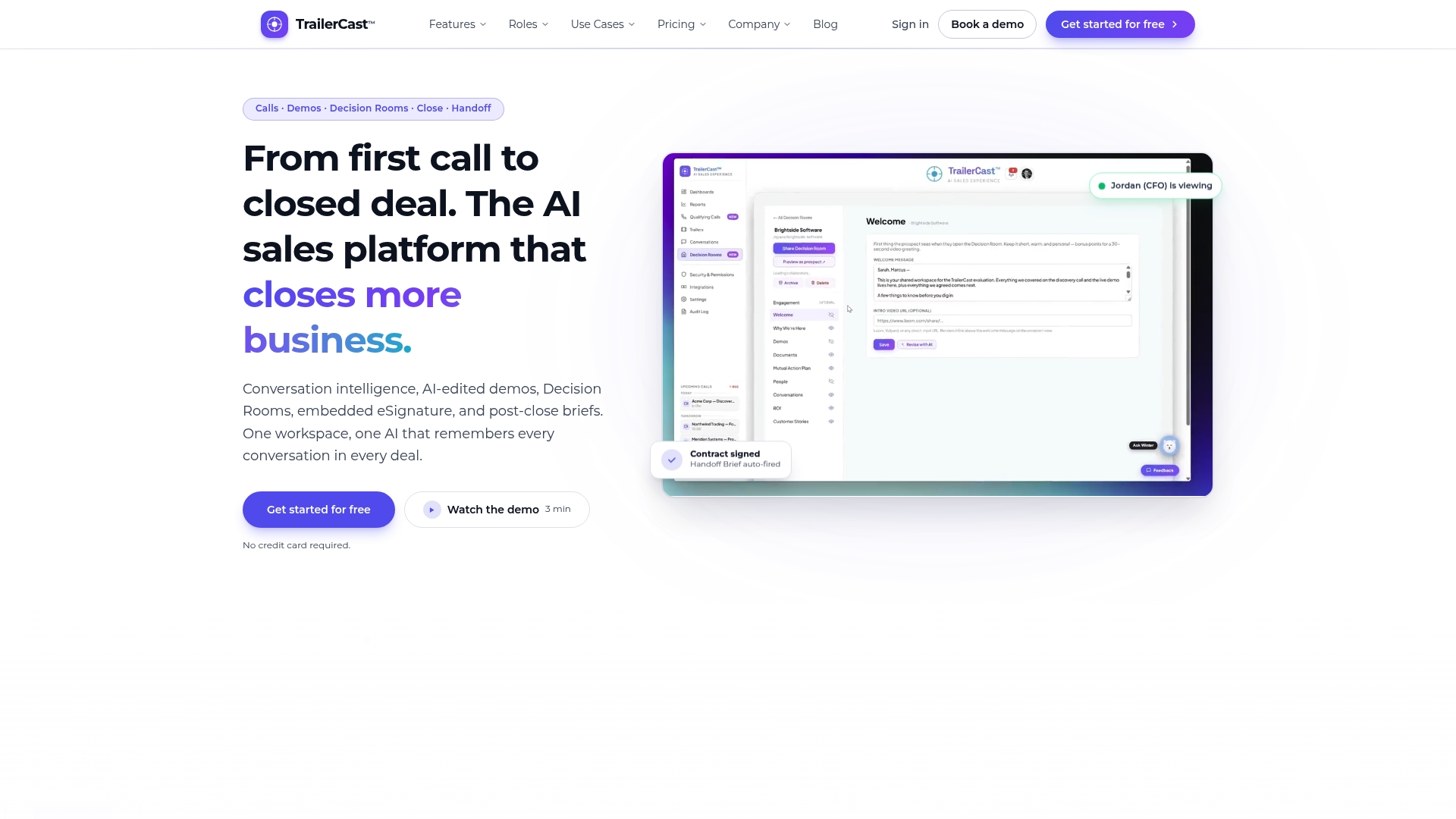
There’s one plan with every feature, priced from $59 per seat per month, with no tiers to gate the trailer and personalization tools. If you want to see how a demo recording becomes stakeholder-specific content, start on the TrailerCast homepage. Teams selling software can also see how we support software and SaaS sellers, and our demo follow-up tool drafts personalized emails to send with each video.
FAQ
What is the difference between a personalized demo video and a standard demo?
A standard demo covers the product in a fixed order for any audience. A personalized demo video selects the features and workflows that match one buyer’s industry, role and use case, and cuts the rest. It also opens with the buyer’s own problem and ends with a next step that fits the deal.
How long should a personalized demo video be?
Match the length to the question. A single objection or how-to can take a minute or two, and a stakeholder summary usually takes a few minutes. A full recap trailer for a champion to forward can run longer, since it replaces a demo others missed.
Do I need to record a new video for every prospect?
No. Record the demo once, then cut role-specific versions from the moments that matter to each stakeholder. Add a short personal intro and a clear next step to each. Reserve fully custom recordings for your highest-value accounts and stalled deals.
How do I know if my personalized demo videos are working?
Watch completion rate, engagement time, drop-off by section, call-to-action clicks and whether the video leads to a next step such as a meeting or a new stakeholder joining. Change one element at a time, like length or framing, and compare results across similar deals.