Speaker-by-Speaker Transcripts: How They Work and Get Fixed

A speaker-by-speaker transcript assigns every stretch of a conversation to the person who said it, so you can read who asked, who objected and who promised what. Software does this by grouping audio by voice, or by reading who was speaking in the meeting platform. Labels are usually right on a clean two-person call and shakier with crosstalk, bad audio or a dozen people on the line. The fixes are mostly simple habits, and you can build them into every call.
If you sell B2B software, this matters more than it sounds. The CFO who wasn’t on your demo will never read a wall of unlabeled text. A champion needs to know exactly what the CISO said about data residency. And a deal review is useless if “we’ll need that in writing” is attributed to the wrong person.
TL;DR
- A speaker-by-speaker transcript labels each segment with who spoke, usually with timestamps. Most tools produce anonymous labels first (Speaker 1, Speaker 2) and attach names second.
- Diarization works on voice characteristics, so similar voices can merge and one person can split into two labels. Overlapping speech is the classic failure point.
- You improve accuracy before the call: consistent display names, one microphone per person, separate audio streams where the platform allows, and a quick round of introductions.
- After the call, spot-check label changes at their timestamps, especially short turns and the first minute.
- For sales teams, accurate labels turn a transcript into searchable buyer language, talk-time analysis and forwardable proof for stakeholders who weren’t there.
Table of Contents
- What a speaker-by-speaker transcript actually is
- Diarization vs. knowing the person’s name
- How a system decides who said what
- Why speaker labels go wrong
- Setting up the call for better labels
- Reviewing and correcting a transcript
- What a useful multi-speaker transcript includes
- What sales teams get out of accurate speaker labels
- Perspective
- Put speaker labels to work with TrailerCast
- FAQ
- Sources
What a speaker-by-speaker transcript actually is
The plain version: a transcript where each block of text starts with a speaker label and, ideally, a timestamp. Instead of one long paragraph, you get something like “Speaker 2 (14:32): Our security team will need the SOC 2 report before we go further.”
The labels come in a few flavors. Some are generic identifiers. Some are tied to the meeting’s participant list, so the transcript shows the name that person joined with. Meeting-bot infrastructure documentation describes both: speaker labels can be tied to meeting participants or be generic identifiers, depending on how the audio is captured.
You will also see this called multi-speaker transcription. Same idea, different phrasing: one recording, several voices, and a written record that keeps them apart.
Diarization vs. knowing the person’s name
These two get confused constantly, and the difference explains most of the surprises you’ll see in real transcripts.
Speaker diarization answers “who spoke when?” It partitions audio into segments and gives each distinct voice an anonymous label. It has no idea that Speaker 1 is Priya from procurement. It only knows that the same voice shows up in several places.
Speaker identification is the second step: tying a label to a real name. That can happen through a voiceprint, through the meeting platform’s participant data, or through you typing the name in.
Some speech APIs let you supply known voices to skip the guesswork. For example, OpenAI’s documentation says its diarization model lets you provide up to four known speaker names with short reference audio samples, each between 2 and 10 seconds, so the output uses those names rather than generic labels. That’s useful when the same small group meets repeatedly. On a first discovery call with a buying committee you’ve never heard, you won’t have samples, which is why the platform’s participant data and spoken introductions matter so much.

Why it matters for your deals
Anonymous labels are fine for a quick scan. They’re not fine for a deal brief. “Speaker 3 said they’re evaluating two other vendors” tells you nothing until you know Speaker 3 is the VP who owns the budget. Naming each speaker once, and having the system carry that name through the whole recording, is what makes the transcript usable.
How a system decides who said what
Most diarization follows the same four steps, even when vendors describe them differently:
- Voice activity detection. The system separates speech from silence, music and background noise.
- Segmentation. It splits the speech wherever the speaker is likely to change.
- Embedding extraction. Each segment is converted into a set of numbers that captures vocal characteristics such as pitch, timbre and rhythm.
- Clustering. Segments with similar numbers are grouped, and each group gets one label.
The output is a transcript where each utterance carries a label and a time range. Cloud speech services expose this directly. Amazon’s documentation says its diarization can differentiate between a maximum of 30 unique speakers and labels each one with a value from spk_0 through spk_29. Google’s speech service tags each word with a speaker number, and you set a minimum and maximum speaker count based on how many people you expect.
That last detail is a quiet but important lesson: the system works better when you tell it roughly how many people are in the room. Guess too low and two voices get merged. Guess too high and one person gets split.
A second route: channels and participant streams
There’s another way to know who is talking that doesn’t depend on voice similarity at all. If each participant’s audio arrives as its own stream, the system doesn’t have to untangle a mixed recording. Recall’s documentation explains that separate audio streams make speaker attribution more accurate than a single mixed stream, especially when several people talk at once or share a device. It notes that Zoom, Microsoft Teams and Google Meet support separate streams, while Webex does not.
This is also why an in-meeting notetaker that joins your Zoom, Meet or Teams call often has an edge over a recording uploaded afterward: it knows who is on the call and which tile is speaking.
If you work with audio and want a deeper look at how separate channels compare with voice-based diarization, source-linked notes from audio show the same principle on the reading side: the useful record stays attached to its original passage.
Why speaker labels go wrong
I’ve read thousands of sales call transcripts, and the same handful of problems cause nearly every bad label.
Crosstalk. When two people speak at once, the text usually lands on one of them or gets blended. Speakers cutting each other off is the most common trigger, and it happens most in the moments that matter: objections and pricing pushback. Even academic benchmarks acknowledge the difficulty. The organizers of a multi-party meeting transcription challenge listed overlapping speech, an unknown number of speakers, far-field speech, noise and reverberation as the core obstacles.

Similar voices. Diarization works on voice similarity, not meaning. Two colleagues with similar voices can collapse into one label. A person who changes their voice, say by moving from a quiet aside to an animated pitch, can split into two.
Shared microphones. Four people in a conference room on one laptop look like one speaker to a platform that only sees one participant tile. The voice-based system has to do all the work, and it has the least to work with.
Short turns. “Yeah,” “right,” and “okay” give a system almost nothing to match. Voice-profile features generally need several seconds of clear speech from a person before they can label them reliably.
Inconsistent display names. If someone joins as “iPhone (2)” or “Guest,” the transcript inherits that. It’s a small thing that makes a transcript look sloppy when you forward it.
Setting up the call for better labels
Most accuracy is won or lost in the first minute. These habits cost almost nothing.
Ask for introductions
Have everyone say their name and role at the start. This puts the name-to-voice mapping inside the recording itself, which helps both software and the human reviewing it later. On a sales call it feels natural: “Before we dive in, can we do a quick round of who’s who?” It also helps you, because you’re about to learn who actually holds the decision.
Get names right in the meeting platform
Ask attendees to join under their real name, and rename anyone who joins as a phone number or device. Keep your own name consistent between your calendar, your meeting platform and your notetaker account so the system can match you reliably.
One person, one microphone
When a champion is dialing in from a conference room with three colleagues, ask whether the others can join on their own laptops, even just on mute with audio off for the first pass. If that’s not realistic, ask each person to say their name before they speak the first time. It’s an awkward request once, and it saves you a transcript you can’t use.
Keep the audio clean
Getting close to the microphone, cutting background noise and taking turns all improve results. A headset beats a laptop speaker in a kitchen every time.
Let people finish
This is also just good selling. A pause before you respond to a tough question gives the transcript a clean boundary and gives the buyer room to say the real thing.
Reviewing and correcting a transcript
Even a good transcript deserves a two-minute check before you quote it to a buyer or paste it into a deal brief. Here is a repeatable way to do it.
- Turn on timestamps with the labels. Labels without timestamps are hard to verify because you can’t find the moment the voice changed.
- Name each speaker once. Rename Speaker 1 to the real name and let the change apply across the whole transcript.
- Check every label change that matters. Jump to the timestamp, play five seconds of audio, confirm.
- Recheck the start and the short turns. The first minute is where the system has the least information, and one-word replies are the easiest to misattribute.
- Mark what you can’t resolve. If a segment is too tangled to separate, say so. A generic “Speaker 3” is more honest than a confident wrong name.
A simple three-level habit helps when you’re reviewing: treat a label as confirmed when the person introduced themselves or you heard it, probable when the context fits but nothing anchors it, and unknown when the audio is unclear or overlapping. Only quote confirmed lines to the buying committee.
The stakes are real. One wrong attribution can turn “legal will review this” into “our CFO is blocking this,” and that shows up in your forecast notes, your handoff and your next email.
What a useful multi-speaker transcript includes
Labels alone don’t make a transcript good. For sales work, look for these elements:
| Element | What it gives you |
|---|---|
| Speaker label with name | You know who said it without listening back |
| Timestamp per turn | You can jump to the moment and share a clip |
| Utterance-level segments | Coherent turns instead of one-word fragments |
| Search across the full text | You can find every mention of a competitor, a budget or a security question |
| Talk-time per speaker | You see whether you ran a conversation or a monologue |
| Summary and action items | The call becomes next steps, not just text |
A common machine-readable pattern is a timestamp, then the speaker, then the text, with start and end times at the segment level. That structure is what lets tools build search, clips and summaries on top of the transcript.
What sales teams get out of accurate speaker labels
The real payoff isn’t a prettier transcript. It’s what you can do once you know who said what.
- Multi-threading you can prove. You can see which stakeholders have actually spoken on calls, and which ones only exist as names on an org chart.
- Honest talk-time. If you spoke for 80 percent of a discovery call, the transcript shows it, and you can fix it on the next one.
- Objection tracking by role. “Pricing” from the CFO means something different than “pricing” from an end user.
- Better handoffs. When an implementation team inherits a deal, attributed commitments are the difference between a clean start and a re-discovery call.
- Forwardable material. Your champion can send the right moment to the right person, rather than a recording nobody will rewatch.
The last point is the one I care about most, and it’s where we spend most of our time.
Perspective
When I started building TrailerCast, I kept coming back to one frustration: the calls were never the problem. The space between them was.
A great demo ends, and your champion walks back to a CFO who wasn’t there, or a CISO whose questions are buried in a recording nobody will rewatch. If the transcript can’t tell that champion who raised the concern and what was said, they’re left to re-sell from memory. Speaker-by-speaker accuracy is the first link in that chain.
That’s why we built the notetaker to join Zoom, Google Meet and Teams calls, transcribe speaker by speaker, and turn the result into structured summaries, talk-time analysis, action items and a Deal Brief that builds across every call in the opportunity. A label isn’t an end in itself. It’s what lets one AI follow a deal from the first discovery call to the handoff, and remember who said what along the way.
My advice: stop treating the transcript as an archive. Treat it as the raw material for the next conversation, and make sure it’s attributed well enough to trust.
Daniel
Put speaker labels to work with TrailerCast
If you want speaker-labeled transcripts that feed straight into summaries, a Deal Brief and the rest of your deal workflow, TrailerCast’s meeting recording does the capture for you. Our AI notetaker joins your calls, transcribes speaker by speaker, and makes every transcript searchable.
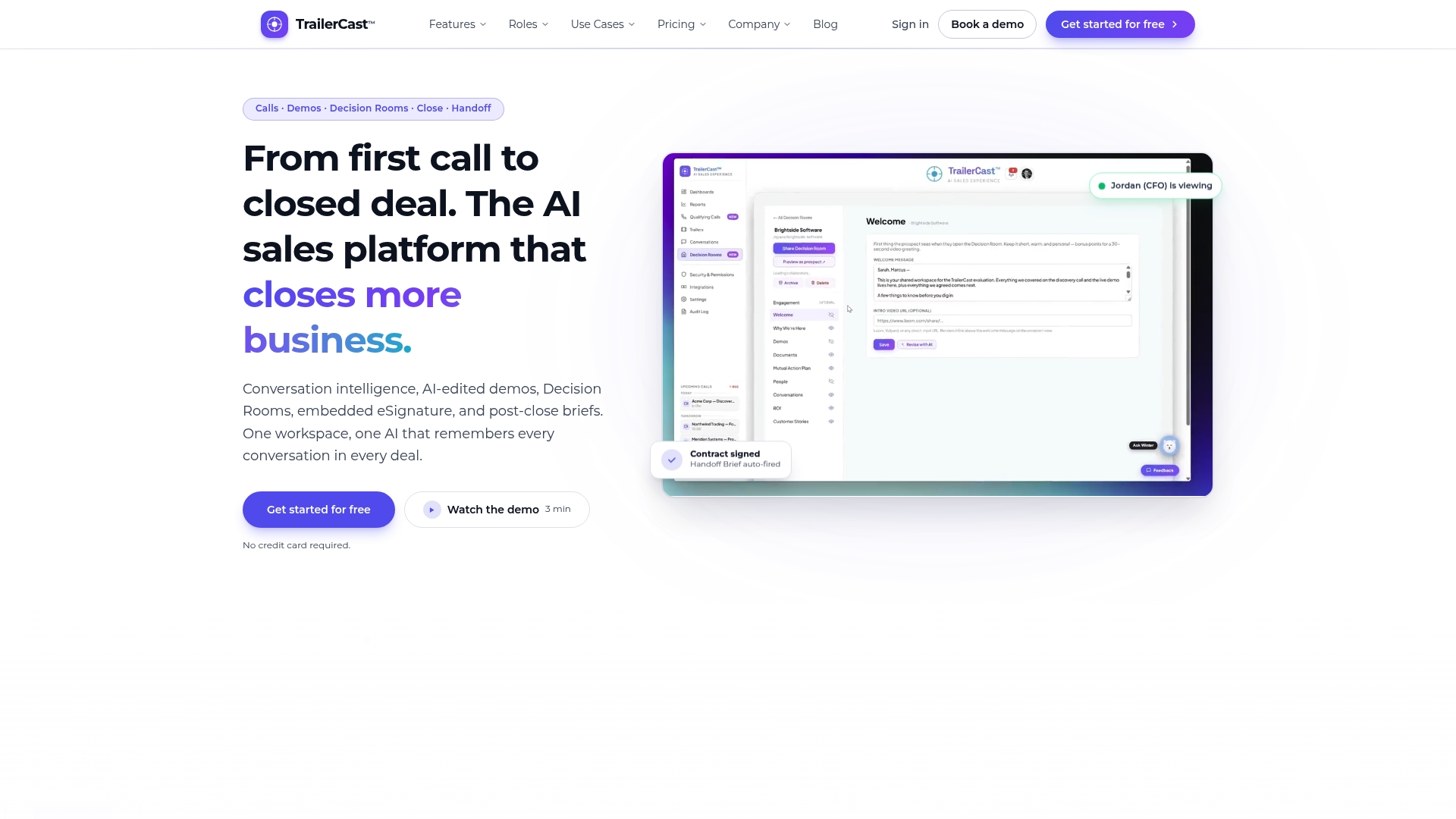
It sits inside a single workspace with AI-edited demo trailers, buyer-facing deal rooms, eSignature and post-close handoff. There’s one plan with every feature, from $59 per month per seat. If discovery calls are where your attribution problems hurt most, start with our AI call notetaker for discovery calls.
FAQ
What’s the difference between speaker diarization and speaker identification?
Diarization separates a recording into voices and gives each an anonymous label such as Speaker A or Speaker B. Identification connects a voice to a known person, either through a stored voice sample, the meeting’s participant list or a manual rename. Most transcripts start with diarization and add names afterward.
How many speakers can a transcript handle?
It depends on the system. One major cloud service documents support for up to 30 unique speakers, but accuracy drops as the number of voices grows and as people talk over each other. For sales calls, the practical limit is how clean the audio is, not the headcount.
Why does my transcript merge two people into one speaker?
Diarization groups by voice similarity, so two people with similar pitch and tone can end up under one label, particularly with little speech from one of them. Telling the system the expected number of speakers, using separate microphones and having each person introduce themselves all help. You can also fix it manually by checking the timestamps where the label should change.
Can I fix speaker labels after the call?
Yes. Open the transcript with timestamps, rename each speaker once, then play the audio at each label change that matters and confirm it. Pay extra attention to the start of the call and to short replies like “yeah” or “right,” which are the easiest to misattribute.
Do I need separate audio tracks for each person?
You don’t need them, but they help. When each participant’s audio is captured on its own stream, the system doesn’t have to separate overlapping voices, which improves attribution. Zoom, Teams and Google Meet support this approach, while Webex does not, according to one meeting-bot provider’s documentation.
Sources
- Diarization documentation, Recall
- Partitioning speakers (diarization), Amazon Transcribe
- Detect different speakers in an audio recording, Google Cloud Speech-to-Text
- Audio transcriptions API reference, OpenAI
- The Second Multi-Channel Multi-Party Meeting Transcription Challenge, arXiv