Auto-Updating MAPs Close Deals: Deal Room Best Practices for Sales & RevOps

The highest-impact deal room practice is simple to state and hard to execute: design the room as a buyer-facing consensus workspace, not a seller’s file cabinet. One link should answer each stakeholder’s single question and tie every next step to a named owner. Get that right, and approvals move faster, champions have something worth forwarding, and you get real signals to act on instead of guesswork.
TL;DR:
- A deal room should connect each stakeholder’s question to a specific owner and next step to accelerate approvals and support self-service evaluation.
- Deal rooms are most necessary when decision-making involves multiple stakeholders, a cycle longer than 30 days, or when internal approval is explicitly required.
- Structuring content around buyer journey and persona with clear priority sections, and keeping assets up-to-date, enhances responsiveness and builds trust.
- Core components include a mutual action plan, one-page index, ROI and pricing models, and engagement analytics with forwarding attribution.
- Ownership by a RevOps steward and regular maintenance prevent rooms from becoming stale, with automation and audits ensuring ongoing accuracy and relevance.
Table of Contents
- What Is a Deal Room, and When Do You Actually Need One?
- Why Well-Run Deal Rooms Actually Move Deals Faster
- What Belongs in Every Deal Room
- How to Organize Deal Room Content So Buyers Find Answers Fast
- Building the Mutual Action Plan and One-Page Index
- Turning Engagement Analytics Into Seller Action
- Security, Permissions, and Compliance Non-Negotiables
- Who Owns the Room, and What Keeps It From Going Stale
- Keeping Rooms Healthy: Maintenance and Common Failure Points
- The One Change That Actually Moved Our Deals
- How TrailerCast Puts These Practices Into One Workspace
- Sources
What Is a Deal Room, and When Do You Actually Need One?
A deal room is a shared digital workspace built to get a buying committee to “yes” faster. Its job isn’t storage. It’s consensus. Every folder, every video, every pricing table exists to answer one question that a specific stakeholder is asking, without making them wait for a call to get it.
That distinguishes it sharply from a virtual data room (VDR). A VDR exists for diligence: locking down thousands of legal, financial, and operational documents so auditors and acquiring counsel can verify claims after a deal is largely agreed. A deal room exists earlier, during active selling, and its purpose is persuasion and coordination, not document custody. Well-structured VDRs can cut due diligence timelines by roughly 30 to 50 percent through staged disclosure and Q&A routing, and several of those same disciplines, structure, permissioning, tracked access, translate directly into how a sales-stage deal room should behave.
Not every deal needs one. A single-threaded transactional sale with one decision maker rarely justifies the setup time. The signal thresholds worth watching:
- Three or more stakeholders involved in the decision, especially across departments (finance, security, end users)
- A sales cycle stretching past 30 to 45 days with multiple asynchronous touchpoints
- A deal size that requires internal business-case justification or procurement review
- A champion who has explicitly said they need to “sell it internally”
Once any two of those show up, a static PDF and an email thread stop being enough. The deal starts happening in rooms you’re not in, and you need a workspace built for that reality, not a slide deck hoping to survive forwarding.
Why Well-Run Deal Rooms Actually Move Deals Faster
Buyers increasingly want to self-serve their way through evaluation rather than lean on a rep for every answer. Gartner’s sales survey found a majority of B2B buyers prefer a rep-free buying experience, which reframes what a deal room is for. It’s not a nice add-on to your sales motion. It’s the infrastructure that lets buyers do what most of them already want to do.
Statistic to build around: With 61 percent of buyers preferring to move through a purchase without constant rep involvement, a deal room that answers questions on its own directly serves the majority preference, not a minority convenience.
The practical benefits stack up in three areas:
- Speed. Centralizing the ROI model, security docs, and pricing in one place removes the days-long lag of “let me find that and email it to you.”
- Champion enablement. Your internal champion isn’t a great presenter of your product to their CFO. They’re forwarding a link. A room built for that moment, with content already sequenced for a non-technical stakeholder, does the selling your champion can’t do alone.
- Auditability and risk reduction. Every view, download, and share gets logged, so you know who on the buying committee has actually engaged and who’s still a blind spot before you walk into the final call.
That forwarding behavior deserves attention on its own. When a champion shares your room with a CISO or a procurement lead, you want visibility into that chain, not just a vague “someone opened it” notification.
What Belongs in Every Deal Room
A deal room stuffed with every asset your marketing team ever produced isn’t thorough. It’s noise. Practitioner research on digital sales rooms consistently finds that depth beats breadth: fewer, better-sequenced items outperform a content dump every time. The non-negotiable components:
- Buyer-facing framing on the landing view. The room should open with the buyer’s problem and their stated goals, not your company’s boilerplate about who you are.
- A mutual action plan (MAP). Deliverables, owners, and dates, visible to both sides, so nobody has to guess what “next steps” means.
- ROI and pricing. A working model tied to numbers the buyer gave you, not a generic calculator.
- Security and compliance documentation. SOC 2 reports, data handling policies, and answers to the questions a CISO will ask before they ask them.
- One or two sharply relevant proof points. A case study or reference call from a company that looks like theirs, not a library of every logo you’ve ever sold to.
- Engagement analytics with forwarding attribution. You need to see not just that content was viewed, but who shared it with whom inside the buying committee.
- CRM integration and embedded eSignature. These are the operational glue: what happens in the room should write back to your pipeline automatically, and closing shouldn’t require a separate trip to a signature tool.
That last point matters more than it sounds. A room that tracks engagement but never updates your CRM forces reps to manually reconcile two systems, and manual reconciliation is exactly the kind of friction that makes reps stop updating anything. A workspace like TrailerCast’s decision rooms is built around that write-back loop specifically, so engagement in the room shows up as a task or alert in the rep’s existing workflow instead of a separate dashboard nobody checks.
Pro Tip: Put your ROI calculator and MAP above the fold. Those two items get referenced most often on internal buyer calls you’re not invited to, so they need to be the first thing anyone sees, not something they scroll to find.
How to Organize Deal Room Content So Buyers Find Answers Fast
Organize by buyer journey and persona, never by file type. A folder labeled “PDFs” or “Videos” tells a CFO nothing about whether their question is answered inside it. A folder labeled “Pricing & ROI” does.
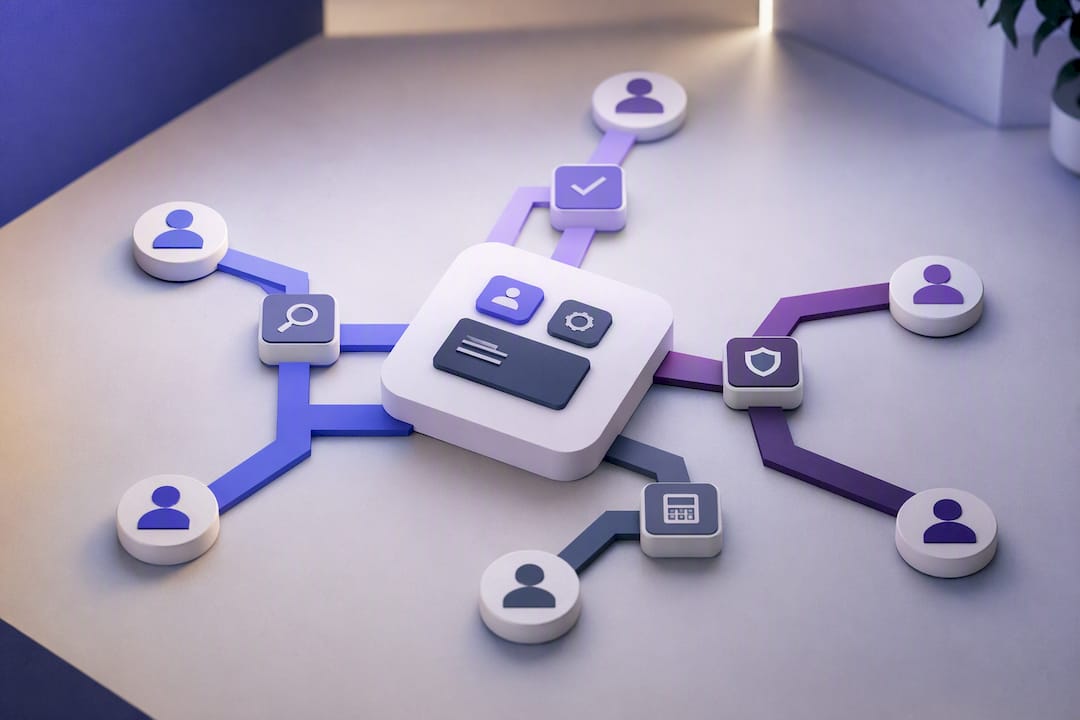
Guidance on structuring virtual data rooms makes a point that translates directly to sales-stage rooms: consistent naming conventions and shallow folder hierarchies cut reviewer search time significantly and build reviewer confidence in the process itself. A buyer who can’t find what they need in ten seconds starts wondering what else you’re hiding, even when nothing is actually hidden.
Practical structure rules that hold up across deal types:
- Cap top-level sections at five or six: Overview, Mutual Action Plan, ROI & Pricing, Security & Compliance, Proof, and People.
- Number sections so the sequence signals priority (1. Overview, 2. Next Steps) rather than alphabetizing and burying the plan under “M.”
- Template the base room structure once, then personalize only the framing language and the proof points per deal, not the entire skeleton.
- Never leave outdated content live. A stale case study or an old pricing sheet sitting in an otherwise fresh room undercuts trust in everything else inside it.
What to add and when matters just as much as where it lives. Early-stage rooms should stay light: overview, discovery notes, and a first-draft MAP. Adding security documentation or a full ROI model too early can overwhelm a buyer who hasn’t yet decided you’re worth the internal effort. Save the heavier proof for once a champion has emerged and started asking for it specifically.
Pro Tip: If a stakeholder has to click more than two folders deep to find pricing, your structure is the problem, not their attention span.
Building the Mutual Action Plan and One-Page Index
Every deal room needs two documents that do more work than anything else in it: the mutual action plan and a one-page index.
The MAP should track four fields consistently across every deal:
- Deliverable — the specific thing that needs to happen (security review, budget approval, technical validation)
- Owner — named individually, buyer or seller side, never “the team”
- Target date — a real date, not “soon” or “next sprint”
- Status — a simple state (not started, in progress, blocked, complete) visible to both sides without a status call
The one-page index sits at the top of the room and answers “where do I go for X” in a glance: a short table linking each stakeholder type (economic buyer, technical evaluator, end user) to the two or three assets that matter most to them. It’s the single artifact most likely to get screenshotted and forwarded internally, so it deserves real design attention, not an afterthought.
Both documents should auto-generate from a template the moment a deal reaches a defined stage in your CRM, with the MAP tasks writing back as CRM activities automatically. That write-back is what separates a MAP that gets used from one that gets built once in a kickoff call and never opens again.
Turning Engagement Analytics Into Seller Action
Raw page views are a weak signal. Time spent on the pricing page after a CFO joins the room is a strong one. The difference between vanity analytics and useful analytics is whether anyone acts on them within a defined window.
- Track: repeat visits from new stakeholders, time on ROI/pricing sections, and document downloads by named viewer.
- Ignore as a primary signal: total room opens with no breakdown by viewer, since one champion refreshing the page ten times looks identical to ten stakeholders each checking once.
- Automate the response: a new viewer from an unrecognized email domain should trigger a task for the rep within the hour, not surface in a weekly report.
- Set an SLA: if a stakeholder views security documentation and no security-focused follow-up happens within 24 hours, escalate it.
Analytics without an automation attached are just a dashboard you’ll stop checking after week two. Deal room research backs this up directly: engagement signals only compress deal cycles when they’re wired to a defined playbook action, not left as a passive report a rep checks when they remember to.
A room that logs a CISO’s visit to the security folder but doesn’t alert anyone for three days has wasted the one moment that visit actually mattered.
Security, Permissions, and Compliance Non-Negotiables
A deal room that mishandles access does real damage, not just to the deal but to trust in your company generally. The baseline controls worth treating as mandatory rather than optional:
- Encryption in transit and at rest for every document and video stored in the room
- Multi-factor authentication for any internal team member with edit access
- Watermarking on sensitive pricing or contract documents to discourage uncontrolled forwarding outside the buying committee
- SOC 2 Type II compliance at the platform level, documented and available to hand to a buyer’s security team without delay
Permissioning should follow a staged disclosure model borrowed directly from diligence practice: group-based, least-privilege access where a technical evaluator sees the security packet and an economic buyer sees pricing, without either automatically seeing everything the other can. Full audit trails, who viewed what, when, from where, aren’t a compliance checkbox. They’re your evidence trail if a deal ever gets questioned internally after the fact.
Post-close, revoke access on a fixed schedule rather than leaving rooms open indefinitely. An old deal room with live pricing data sitting accessible six months after signature is an unforced risk with no upside. TrailerCast documents its own approach to these controls on its security page, which is a reasonable model to hold any platform you’re evaluating against.
Who Owns the Room, and What Keeps It From Going Stale
Someone has to own deal room governance, and “every rep for themselves” isn’t an ownership model. It’s a slow failure. Practitioner audits of digital sales rooms point to the same root cause repeatedly: rooms go stale because reps don’t update them, and no single person is accountable for catching it.
The fix is a named RevOps steward, not necessarily a full-time role, who owns three things:
- Template governance. One base template per deal type, reviewed quarterly, updated the moment pricing or proof points change.
- CRM sync integrity. Every room creation, stage change, and MAP task should write back to the CRM automatically, so nobody’s manually copying data between two systems.
- Rep onboarding and audits. New reps get trained on the template before their first live deal, and a monthly spot-check catches rooms that have gone quiet.
Incentives matter here too. If reps aren’t measured on room engagement or MAP completion, they’ll treat the room as optional the moment quota pressure hits. Tie a small piece of pipeline hygiene review to deal room activity, and it stops being the thing that gets skipped when the week gets busy.
Pro Tip: Audit five random live deal rooms every month for staleness. If more than one has outdated pricing or a dead MAP, the problem is your template, not your reps.
Keeping Rooms Healthy: Maintenance and Common Failure Points
A short weekly check catches most problems before they cost you a deal:
- Confirm every active room has a MAP updated in the last 14 days
- Spot-check that pricing and proof points match current versions
- Review engagement analytics for rooms with no recent activity, a strong sign the deal has gone quiet
- Verify access has been revoked on any room tied to a closed or dead deal
The most common failure modes are predictable: stale content nobody updates, MAPs built once and abandoned, and rooms so cluttered with assets that a buyer can’t find the one thing they need. Each has a fast fix, refresh the template, reassign MAP ownership, or cut the room down to five sections. If the same failure shows up across multiple reps rather than one, that’s a process problem, not a rep problem, and it belongs in your next RevOps review.
The One Change That Actually Moved Our Deals
The single shift that mattered most wasn’t adding more content to our rooms. It was cutting content and replacing it with a MAP that updated itself the moment a CRM stage changed. Reps stopped treating the room as a folder they’d forget to touch and started treating it as the place the deal actually lived. Champions forwarded it more, because for once it looked current instead of stale. None of this required buyers to work harder. It required us to stop asking them to.
— Daniel
How TrailerCast Puts These Practices Into One Workspace
TrailerCast is the alternative to stitching together five disconnected tools for something a single workspace should handle on its own: one decision room per deal that combines the MAP, ROI summary, security documentation, and engagement analytics this guide just walked through, without a rep having to manually rebuild it from scratch on every opportunity.

Every component maps directly to the checklist above. Champion forwarding gets tracked as an attribution tree, so you see exactly who shared your room with whom on the buying committee, not just an anonymous view count. The AI Sales Library auto-ranks the right proof points per deal instead of leaving reps to guess what to attach. Embedded eSignature closes the deal in the same workspace where the negotiation happened, no separate tool, no lost momentum. And because TrailerCast documents SOC 2-aligned security practices, your buyer’s security team gets straight answers instead of a follow-up call.
If your rooms are going stale between calls the way most do, start a free trial at Trailercast and see what a decision room looks like when it’s built to run itself.
Sources
- Gartner: Sales survey finds 61 percent of B2B buyers prefer a rep-free buying experience
- Digital sales rooms: build one buyers actually use
- Virtual Data Rooms for Due Diligence: How to Cut Your Timeline by 40% and Reduce Deal Risk
- Best Practices for Organizing a Virtual Data Room