Content Taxonomy for Sales: A Practical Framework

A content taxonomy for sales is a small, controlled set of labels (buyer role, deal stage, format, product line and freshness) that you apply to every asset so a rep can find the right one in seconds instead of rebuilding it from memory. Keep it to five fields, name the labels the way reps search, and give one person ownership. That is most of the job. The rest of this guide shows how to do it, with examples you can copy.
TL;DR
- A sales content taxonomy is a shared vocabulary for classifying decks, case studies, one-pagers, demo recordings and follow-ups, so reps and buyers can find them fast.
- Start with five fields: persona, deal stage, format, product or solution line, and status or freshness. Add industry only when you can name the search it serves.
- Keep each field to a short controlled list. Long lists get skipped under deadline pressure.
- Pull label names from what reps type into search and ask in Slack, not from your org chart.
- Review quarterly, retire stale assets, and track which labels actually get used.
Table of Contents
- What content taxonomy means for sales
- Why a consistent taxonomy matters in B2B deals
- The five fields every sales taxonomy needs
- Taxonomy examples you can copy
- How to build it without creating label chaos
- Rules that keep labels clean
- Using the taxonomy across the buying process
- Our perspective
- Put your taxonomy to work with TrailerCast
- Common mistakes to avoid
- FAQ
- Sources
What content taxonomy means for sales
In general terms, a content taxonomy is a structured way to classify content using a controlled, consistent vocabulary: categories for broad groups, tags for specific attributes, and metadata for details like audience, format or lifecycle stage. It is the backstage system behind search, filters and reporting.
For a sales team, the same idea gets practical fast. Sales content is anything a seller or buyer uses to move a deal forward: pitch decks, case studies, security questionnaires, ROI calculators, battle cards, pricing sheets, demo recordings, mutual action plans, follow-up emails. Most teams have all of it. Few can find it.
I have watched this play out in real deals. A rep needs a security one-pager for a CISO who joins late. They search the shared drive, find three versions, pick the one with the nicest filename, and send a PDF that was retired two quarters ago. Nobody did anything wrong. There was just no system telling them which one was current, who it was for, and where it fit.
A taxonomy is that system. It answers four questions about every asset:
- Who is this for?
- Where in the deal does it help?
- What form is it in?
- Is it still true?
Why a consistent taxonomy matters in B2B deals
B2B deals rarely involve one buyer. Your champion loves the product, then walks into a room with a CFO, a security lead and an operations manager who weren’t on your calls. Each of them needs something different, and your champion is expected to re-sell from memory.
Without labels, reps solve this ad hoc. They forward whatever they remember, and the buying group gets inconsistent material. With labels, three things change:
- Reps find things faster. Search and filters return the right asset for “CFO, evaluation, one-pager” instead of a pile of near matches.
- Content gets used with intent. You can see which stage has plenty of assets and which has none.
- Reporting becomes honest. If every asset carries the same labels, you can compare engagement across personas and stages instead of guessing. Our guide to sales engagement analytics covers what to measure once your labels are in place.
The gap analysis is where teams usually get the biggest surprise. Tag everything you have, then count. Most libraries are heavy on top-of-funnel decks and nearly empty where the deal is actually won or lost: the late-stage assets for finance, legal and security.
The five fields every sales taxonomy needs
One published B2B framework recommends persona, funnel stage, format, product or solution line, and content status or freshness, and adding industry only when a team can name the query it serves. It also treats five fields as a deliberate minimum, because extra fields on day one turn tagging into a chore that gets skipped. I agree with that, and it matches what I see in practice.
Here is how I would define each field for a SaaS sales team.
Persona (who it is for)
Use buying roles, not job titles. Titles vary by company; roles repeat.
- Economic buyer (CFO, VP Finance)
- Technical evaluator (IT, engineering, sales engineer counterpart)
- Security and compliance (CISO, legal, procurement)
- End user or champion
- Executive sponsor
If you want a structured way to identify those roles on live deals, our stakeholder mapping template pairs well with this field.
Deal stage (where it helps)
Match your CRM stages, not an abstract funnel. If your pipeline says Discovery, Demo, Evaluation, Negotiation, Closed Won, use those exact words. A rep should never translate between the CRM and the library.
Format (what it is)
Keep this physical and boring: deck, one-pager, case study, video, trailer, template, calculator, contract, battle card, email. One value per asset.
Product or solution line (what it covers)
If you sell one product, use modules or use cases. If you sell several, use the names buyers use on calls, not internal code names.
Status and freshness (can I send it)
This one is the quiet hero. Use three values: Current, Needs review, Retired. Add a review-by date in a separate property. Reps trust a library the moment they stop finding stale files in it.
Taxonomy examples you can copy
The common pattern is funnel stage, content type and one custom dimension such as industry, product line, persona, use case or region. A three-layer structure like that is a good starting point for smaller teams. If you want a deeper walkthrough of a three-layer approach for classifying sales assets for SaaS companies, that is a good place to compare notes.
Here are two example sets, written the way a real library would carry them.
Example 1: A 15-person SaaS team selling one product
| Field | Allowed values |
|---|---|
| Persona | Champion, Economic buyer, Technical evaluator, Security and legal |
| Deal stage | Discovery, Demo, Evaluation, Negotiation, Handoff |
| Format | Deck, One-pager, Case study, Video, Template, Contract |
| Product line | Core platform, Integrations, Reporting |
| Status | Current, Needs review, Retired |
Total: five fields, about 20 values. A new rep can learn this in one sitting.
Example 2: A 60-person team with two products and a mid-market and enterprise motion
| Field | Allowed values |
|---|---|
| Persona | Champion, Economic buyer, Technical evaluator, Security and legal, Executive sponsor |
| Deal stage | Discovery, Demo, Evaluation, Business case, Negotiation, Handoff |
| Format | Deck, One-pager, Case study, Video, Trailer, Template, Calculator, Contract, Battle card |
| Product line | Product A, Product B, Bundle |
| Segment | Mid-market, Enterprise |
| Status | Current, Needs review, Retired |
Notice what changed. The team added a segment field because enterprise deals use different security and procurement material. They did not add industry, because nobody could point to a rep search that needed it. That is the test: add a field when you can name the question it answers.
A sample asset, fully tagged
Take a security overview PDF:
- Persona: Security and legal
- Deal stage: Evaluation
- Format: One-pager
- Product line: Core platform
- Status: Current (review by next quarter)
A rep searching “security evaluation” finds it. A manager filtering for Evaluation sees whether there is also a video or a template at that stage. That is the whole payoff.
How to build it without creating label chaos
Taxonomies usually fail from sprawl, not from missing ideas. One practitioner source suggests limiting search facets to roughly 5 to 8 categories, with 15 to 40 controlled values per facet, to avoid tagging fatigue. For most teams under 200 people, I would stay at the low end of both.
Step 1: Audit what exists
Export every asset from your drive, CRM attachments and enablement tool. Delete duplicates and anything older than two years that nobody has opened. You will usually halve the pile.
Step 2: Collect real search language
The same source recommends deriving labels from the queries reps actually run and the questions they ask in help channels instead of internal org charts. Pull the last 60 days of Slack questions like “anyone have the SOC 2 summary?” and note the words. Those words are your labels.
Step 3: Draft the five fields and lock the values
Write each value once. Use singular nouns (“Case study,” not “Case studies”). Use one spelling. Decide on capitalization and stick to it.
Step 4: Tag a pilot set
Tag 30 to 50 of your most-used assets. Ask three reps to find specific items using only the labels. Every time they hesitate, a label is wrong.
Step 5: Assign an owner
One person, usually in sales enablement or RevOps, approves new values. Everyone can request one; one person decides. This prevents “Security,” “InfoSec” and “Compliance” from living side by side.
Step 6: Review quarterly
Check three things: assets marked Needs review, values that nobody has used, and searches that returned nothing. The last list tells you what content to create next.
Rules that keep labels clean
- No synonyms. If two labels mean the same thing, merge them and redirect.
- No “Other.” It becomes the biggest category within a month.
- No label that describes quality. “Best” or “Top” is an opinion, not a category.
- One value per single-choice field. Format and status are never multi-select.
- Name by buyer language. “Pricing and ROI” beats “Value realization collateral.”
- Retire, don’t delete, labels in use. Rename and map old values so history stays reportable.
Using the taxonomy across the buying process
A taxonomy only earns its keep when it shapes what buyers actually receive. Here is how it plays out stage by stage.
Discovery. Reps pull a short qualifying checklist and a customer story matched to the prospect’s segment. The call itself produces new material: notes, quotes, pain points. Our AI call notetaker for discovery calls captures those so they can be tagged to the deal rather than lost in someone’s notebook.
Demo. This is where persona labels matter most. The champion saw the demo; the CFO didn’t. Send the CFO the pricing and ROI asset, send the CISO the security asset. If you build buyer enablement content, map each piece to the question a stakeholder asks at this stage.
Evaluation. Buyers want proof and answers. Security documents, integration guides, and references should be filterable by persona and current status. If legal questions come up, assets like our guides on vendor DPA requirements and contract redlining show the kind of late-stage material worth tagging for Security and legal.
Negotiation and close. Templates, order forms and signature steps belong here. If you need a primer on whether electronic signing holds up, see whether eSignature is legal.
Handoff. Onboarding notes and success plans close the loop. Label them so customer success finds what sales promised.

The common thread: the labels in your library should mirror the stages and roles you already use in the deal. If you have to explain the mapping, simplify it.
Our perspective
We built TrailerCast on one observation: the calls were never the problem. The space between them was. A champion leaves a good demo and has to carry the story to a CFO, a CISO and a few others who weren’t there. A tidy taxonomy helps your reps find the right asset. It does not, on its own, get that asset in front of the right stakeholder.
That is why we think of taxonomy as a deal-level idea, not just a library idea. In a single workspace, the same structure runs through the recorded call, the demo trailer, the buyer-facing deal room and the handoff. A CFO trailer that talks pricing and a CISO trailer that talks security are the persona and stage labels from your spreadsheet, turned into something a champion can forward.
When one AI follows the whole opportunity, the labels stop being a chore someone fills in after the fact. The Deal Brief builds across every call, so the context you would otherwise tag by hand already lives with the deal. Our view: fewer disconnected tools means fewer places for a taxonomy to drift.
Daniel
Put your taxonomy to work with TrailerCast
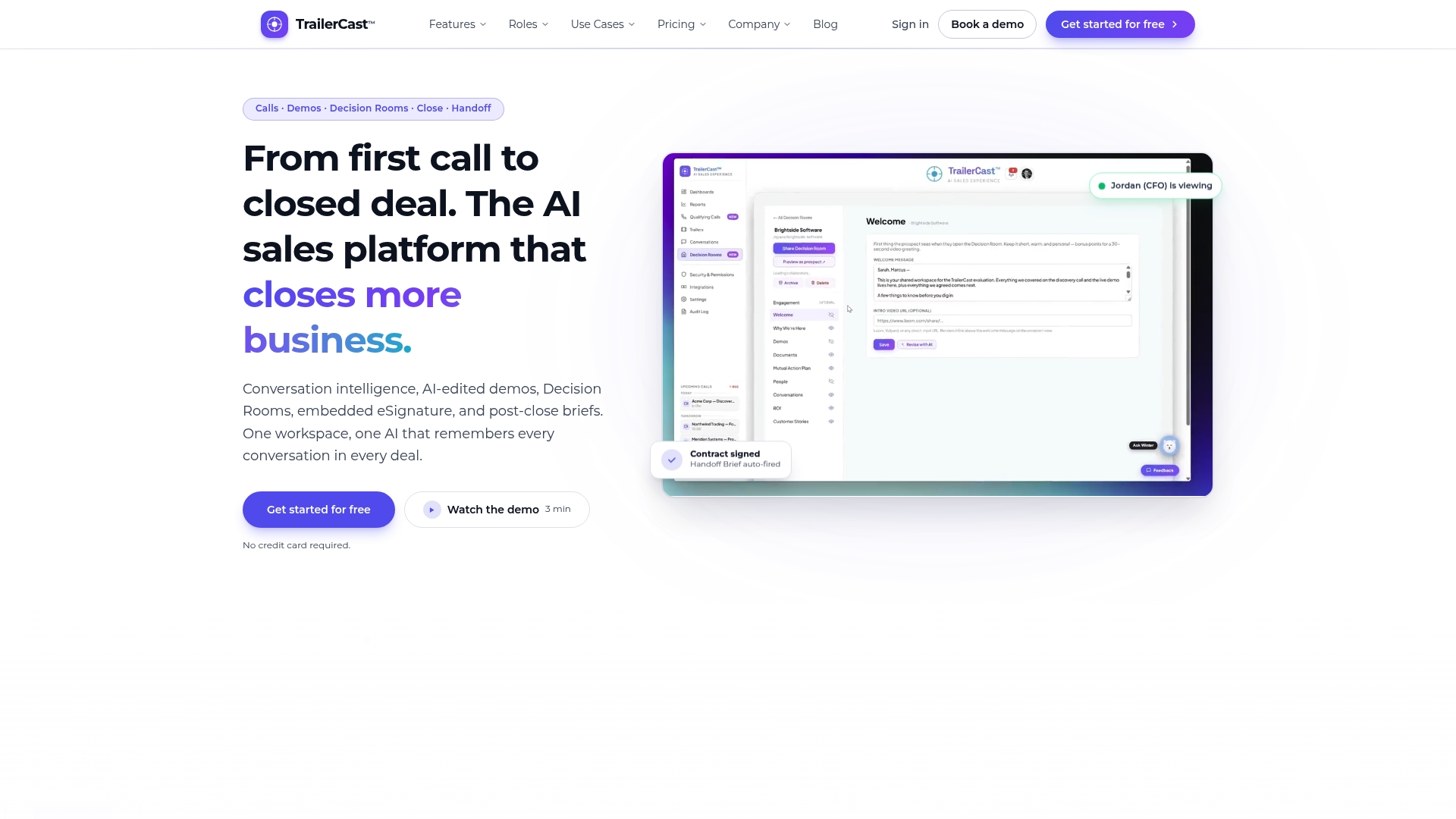
If your reps lose time hunting for the right asset, or champions struggle to re-sell internally, TrailerCast is built for that gap. It brings call notes, AI-edited demo trailers, buyer-facing decision rooms, eSignature and post-close handoff into one workspace. Trailers can be personalized per stakeholder, so the persona labels you define become material your champion can actually forward.
There is one plan with every feature, from $59 per month per seat. See the details on the TrailerCast plan page, or look at how decision rooms work as a buyer portal.
Common mistakes to avoid
- Starting with ten fields. Tagging becomes a chore and gets skipped. Begin with five.
- Building around your org chart. Reps search by problem, not by department.
- Skipping the owner. Without one decision maker, synonyms creep in within weeks.
- Ignoring freshness. A single outdated pricing sheet erodes trust in the whole library.
- Never measuring. If you can’t see which assets are opened or forwarded, you can’t tell which labels help. Pair your taxonomy with engagement reporting.
- Treating it as a one-time project. Products, personas and objections change. Schedule the review.
FAQ
What is content taxonomy in sales?
It is a controlled set of categories and tags used to classify sales assets such as decks, case studies and demo recordings. Typical labels cover buyer persona, deal stage, format, product line and status. The goal is that any rep can find the right asset quickly and trust that it is current.
How many categories should a sales taxonomy have?
Fewer than you think. Start with five fields and 15 to 25 values in total, then grow only when a specific, repeated search needs a new label. Teams that add fields on day one tend to end up with tagging that gets skipped.
Should I organize sales content by buyer stage or by content type?
Use both, as separate fields. Pick one as the primary browse path (most teams choose deal stage because it matches the CRM) and let format work as a filter. Persona then narrows the result to what a specific stakeholder needs.
Who should own the taxonomy?
One person, typically in sales enablement or RevOps. Anyone can propose a new label, but a single owner approves it, merges synonyms and runs the quarterly review. Shared ownership usually means no ownership.
How do I know the taxonomy is working?
Watch three signals: reps finding assets without asking in Slack, fewer duplicate files, and searches that return something useful. If the same query keeps returning nothing, you have found a content gap or a missing label.
Sources
- What is a Content Taxonomy? (Sanity)
- B2B Content Taxonomy: A Metadata Framework (The B2B Content Show)
- Content Library Examples: How 5 B2B Teams Organize Their Content (ContentCamel)
- How do you build a sales enablement content tagging taxonomy (PulseRevOps)