CISO Signoff Path: Who Approves a SaaS Deal and When

The CISO signoff path is the route your deal takes through the buyer’s security organization: a request lands, someone scopes the risk, evidence gets reviewed, and a decision comes back as approve, restrict, defer or reject. Your champion loved the demo. The deal now lives or dies in a process you mostly can’t see. The sellers who get through it fastest treat the path as part of the deal, with a named owner, a map of who else can say no, and answers that match the evidence. This guide walks you through that path as a seller, sales engineer or solutions consultant would need to run it.
TL;DR
- CISO signoff is rarely one signature. It is a recommendation, and often a veto, inside a wider committee of finance, legal, procurement and the business owner.
- Reviews are scoped by risk: what data your product touches and what it connects to decides how deep the review goes.
- The outcome is usually one of four: approve, approve with restrictions, defer pending evidence, or reject.
- Delays come from four different problems (missing evidence, misunderstanding, control gaps, buyer policy). Diagnose which one you have before you respond.
- Never describe a planned control as a live one. Your credibility with security is the only asset that matters in this process.
Table of Contents
- What CISO signoff actually means
- The path, stage by stage
- Who can approve, and who can block
- What the security team is really assessing
- Why reviews stall, and how to respond to each cause
- Coordinating the review without overselling
- Where the signoff path breaks: the room you aren’t in
- How TrailerCast fits into the path
- Our perspective
- A practical checklist before you submit
- FAQ
- Sources
What CISO signoff actually means
In a U.S. SaaS deal, “CISO signoff” is shorthand for the security team’s conclusion that your product is acceptable for the use the buyer has in mind. It is not a stamp on your company. It is a judgment about a specific product, a specific data set and a specific set of users.
Public-sector buyers show the mechanics clearly. At the University of California, Irvine, units partner with information security, privacy, legal, risk and procurement as part of the overall software and IT services procurement review. The central CISO office steps in for suppliers with access to its higher-sensitivity data classes (P3/P4), for agreements affecting critical IT infrastructure, and for cases where the purchasing unit can’t classify the risk itself. Corporate buyers use different names, but the logic is the same: the more sensitive the data and the more critical the system, the more of the path you walk.
Two practical consequences for you:
- Your deal may skip the deep review entirely. A low-risk tool with no sensitive data can clear a lightweight check. Find out early which track you’re on.
- The review is about use, not just vendor. The same product can be approved for one team and restricted for another.
The path, stage by stage
Every company draws it a little differently, but the sequence is consistent enough to plan around.

1. Intake and scoping
Someone on the buyer side submits a request, usually your champion or a department head. Security triages it: what data, which users, which integrations, how critical. This is where you should hand over a clear product scope, the name of the buyer owner and the date the business needs a decision. Sales coordination guidance recommends exactly those three inputs before the request is routed to a security specialist.
Where it goes wrong: the champion describes the product in sales language (“it records our calls”) and security hears something broader. Give your champion a one-paragraph, accurate description of data flows they can paste into the request.
2. Evidence collection
Security asks for documentation. UCI lists HECVAT, SOC 2, ISO 27001/2 certification, PCI attestation, third-party audits or vulnerability assessments, and formal security or privacy policies as helpful. Corporate buyers add questionnaires. Procurement platforms commonly list SOC 2, ISO 27001, a custom InfoSec questionnaire, a CAIQ and a pen test among security requirements.
Where it goes wrong: evidence arrives in a pile with no cover note. Reviewers can’t tell which document answers which concern, so they ask again.
3. Technical validation
A security architect or technical evaluator checks that what you claim matches what your documents show: architecture, access control, subprocessors, incident response. This person is often invisible to the sales team and can stall a purchase even when an executive sponsor is enthusiastic, as one buying-committee playbook warns.
4. Decision
A recent TechTarget framework for CISOs describes four outcomes: approve, approve with restrictions, defer pending evidence or remediation, and reject when material risk can’t be mitigated or exceeds risk appetite. Restrictions can limit data classes, user groups, integrations or use cases. A defer decision should have an owner and a deadline for whatever is missing.
That last point is useful to you. If you get a “defer,” ask who owns the open item and by when. A deferral without an owner is where deals quietly go cold.
5. Contract and signature
Security approval rarely ends the deal. Legal still redlines the contract, and the DPA (data processing agreement, the contract that governs how you handle the buyer’s personal data) often rides alongside. One procurement guide notes that legal is often the biggest bottleneck and suggests securing budget and security approval before legal gets involved. If your DPA terms are a recurring snag, our U.S. clause playbook for vendor DPAs covers the clauses legal and security argue over most.
Who can approve, and who can block
The most common mistake is treating the CISO as the final signer. One July 2026 buying-committee analysis describes the CISO as the person who recommends and holds a veto, while a budget owner such as the CFO or CIO typically signs. Other roles shape the outcome:
| Role | What they control | How they stall a deal |
|---|---|---|
| CISO / security lead | Recommendation and veto on risk | Open findings, unclear data handling |
| Security architect | Validation of the technology | Negative technical judgment |
| CFO or budget owner | Funding and final signature | Never saw the business case |
| Procurement | Commercial terms, vendor count | Vendor consolidation pressure |
| Legal / privacy | Contract, DPA | Redlines, liability terms |
| IT or business owner | Adoption | Operator resistance |
The same analysis says deals are lost in the handoffs between these roles more than in the demo. That is the core problem: your champion sat through the demo, and none of these other people did.
What the security team is really assessing
Strip away the questionnaire formatting and the review asks one question: are the supplier’s security requirements and contractual commitments appropriate for this service? That is how UCI frames its review, with security, privacy, legal, risk and procurement all weighing in.
In practice, prepare product-specific material rather than company-wide boilerplate. Enterprise security review guidance recommends having ready:
- Architecture and data-flow information for the product in question
- Access-control design
- Subprocessors
- Incident-response ownership
- Vulnerability handling
- Any available independent reports
On penetration tests, the same guidance says the evidence should identify the tested system, the dates and scope, unresolved findings and retest evidence, and that a scanner result should not be passed off as equivalent to a pen test. Reviewers know the difference, and so should your materials.
For the questions themselves, see what CISO security questions sellers should expect. For writing the answers, how to write security questionnaire responses that win covers structure and tone.
Why reviews stall, and how to respond to each cause
Don’t treat every delay as “security is slow.” DevBrows separates four distinct problems, and each needs a different move:
| What’s happening | What it needs |
|---|---|
| Missing evidence | Send the document, with a note on which question it answers |
| Misunderstanding | Clarify, ideally with a short walkthrough rather than another email |
| Control gap | Remediation plan or a documented risk discussion |
| Buyer policy requirement | A commercial or scope decision, often above the reviewer’s level |
The same guidance suggests classifying the issue, asking what is mandatory, confirming scope and acceptable evidence, and surfacing your own timeline limits early.
The fastest diagnostic is a direct question to the reviewer: “Is this a request for a document, a question about how something works, or a requirement we don’t currently meet?” Most reviewers will tell you.
Coordinating the review without overselling
Sellers get into trouble in two ways: promising things they haven’t confirmed, and letting the review run with no owner.
Keep claims tied to evidence. A checklist from Defenders.cloud makes the distinction plainly: a control described as being implemented is not the same as one already in place, and claims should not outrun the evidence. Roadmap items belong in a clearly labeled roadmap answer, never in a “yes.”
Name owners on both sides. Guidance on stopping security reviews from stalling deals recommends bringing security in early, naming a liaison, agreeing roles and escalation paths, setting response expectations and communicating revised timelines when delays arise.
Track three separate statuses. The sales coordination guide above suggests tracking clarification, submission and the customer’s actual approval separately. “We submitted everything” is not “they approved,” and your forecast should know the difference.
Use approved channels. Don’t email a pen-test report to a personal address because it’s faster. Use whatever sharing channel your own security team has approved.
If your team keeps security evidence and review intake in one place, it is easier to hand a reviewer the same answer every time; this security and intake approach is one example of how evidence handling gets documented.

Where the signoff path breaks: the room you aren’t in
Here is the pattern I see in security-heavy deals. The CISO or security architect wasn’t on your demo. They get a questionnaire, a PDF and a forwarded summary written by someone who isn’t a security person. Whatever your champion remembers becomes your security story.
The fix is to give security something built for them. A short, focused walkthrough of the security-relevant parts of your product gets reviewed far more often than a 45-minute recording. Our guide to a 4 to 10 minute CISO security demo shows how to structure one. The same thinking applies to the sequence of the whole process, laid out in our seller’s guide from request to sign-off.
And if enterprise buyers ask about single sign-on during review, have the answer ready: our SAML SSO guide for SaaS lists the steps involved.
How TrailerCast fits into the path
TrailerCast is an AI sales platform that keeps every call, demo and message in one workspace. For the signoff path, three pieces matter:
- AI notetaker and Deal Brief. The notetaker joins Zoom, Meet and Teams, transcribes speaker by speaker and builds a Deal Brief that spans every call in the opportunity. When a security question comes up on call three, the context from call one is already there.
- Stakeholder-specific trailers. From a demo recording, the AI picks the 8 to 15 minutes that mattered and builds a branded trailer. Trailers can be personalized per stakeholder, such as a CISO trailer that talks security, so your champion has something worth forwarding to the people who weren’t on the call.
- Decision Rooms. Buyer-facing deal rooms with engagement analytics give you a place to share material with the buying group and see how it is engaged with.
The plan is one plan with every feature, from $59 per month per seat. You can see it on the TrailerCast plan page.
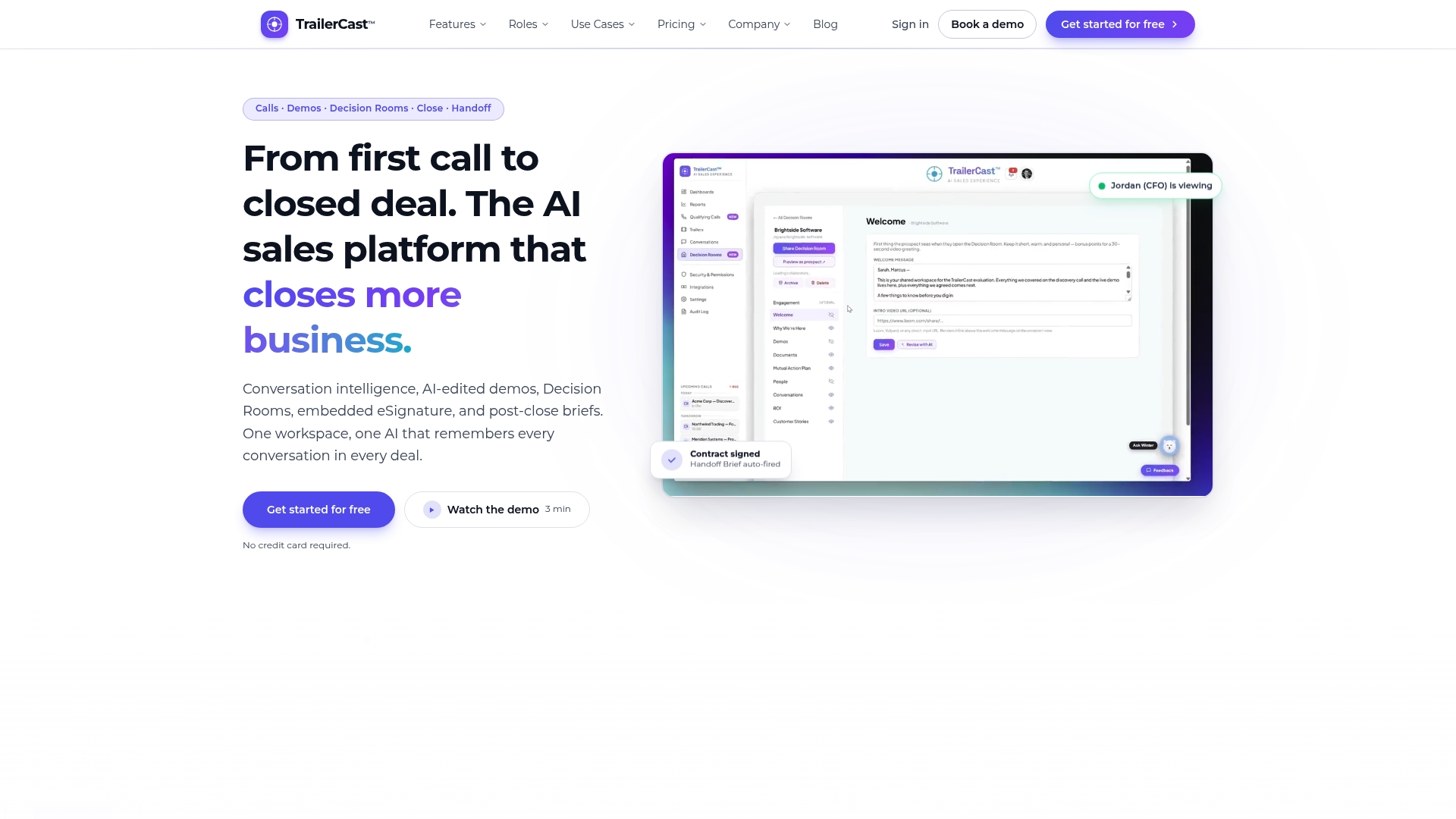
If your deals keep stalling in rooms you can’t attend, the Decision Rooms buyer portal is where to start. For contract stage, embedded eSignature keeps signing in the same workspace as the rest of the deal.
Our perspective
I built TrailerCast on one observation: the calls were never the problem, the space between them was. Security review is that space at its most extreme. A CISO you’ve never met reads a summary of a conversation they weren’t in, and decides whether your deal moves.
Most sellers respond with more documents. I’d argue for more context. Reviewers don’t need a bigger pile, they need the right answer next to the right question, from someone who remembers what was said three weeks ago.
That’s why we built a single AI that follows the whole deal. When a security question surfaces, the Deal Brief carries what was discussed across every call, so you don’t re-ask a champion to reconstruct it. When the CISO needs to see something, a trailer made for security gets a stakeholder to the point in minutes, not an hour of recording.
The signoff path will always involve a committee. Our job is to make sure the people who weren’t in the room still get a clear, accurate picture of the product.
Daniel
A practical checklist before you submit
- Confirm the review track: lightweight or full, and who owns it on the buyer side.
- Write a one-paragraph product scope covering data types, users and integrations.
- Name your own owner for the review and agree a response expectation with the buyer’s liaison.
- Assemble product-specific evidence with a cover note mapping each document to the question it answers.
- Label anything planned as planned. Keep current controls and roadmap items in separate answers.
- Map the committee beyond security: finance, procurement, legal, the business owner. Ask your champion who signs.
- Get budget and security moving before legal if you can.
FAQ
Does the CISO have the final say on buying software?
Usually the CISO recommends and can veto, but the final signature typically sits with a budget owner such as the CFO or CIO, according to one buying-committee analysis. Plan for both: win the security recommendation and make sure the person who funds the purchase has seen the case.
What are the possible outcomes of a CISO review?
The common outcomes are approve, approve with restrictions, defer pending evidence, or reject, as described in TechTarget’s vendor risk framework. Restrictions may limit data, users, integrations or use cases, so ask exactly what scope was approved.
What documents should I have ready?
Buyers commonly ask for a SOC 2 report, ISO 27001 certification, third-party audits or vulnerability assessments, and written security and privacy policies, as UCI’s supplier review page lists. Add product-specific architecture and data-flow material, and a security questionnaire response written to the buyer’s questions.
How do I keep the review moving without being pushy?
Name a liaison on each side, agree response times, and tell the buyer promptly when your timeline changes. Ask the reviewer whether a delay is about a missing document, a misunderstanding or a control gap, then respond to that specific cause.
Sources
- Supplier Security Reviews, UCI Information Security
- AI vendor risk assessment: A framework for CISOs, TechTarget
- The CISO Buying Committee Playbook
- Cybersecurity Buying Committee: Who Really Approves the Deal
- The SaaS buying process: Four steps to get started, Vendr
- Step 5: Build a Great Procurement Process, Vendr Support
- Enterprise Security Reviews: A SaaS Guide, DevBrows
- Security Review Sales Coordination, Tech Sales Playbook
- How to Stop Security Reviews From Stalling Your Deals, Aetos Data