Sales Stack Rationalization: Cut Tool Sprawl Without Losing Deals

Sales stack rationalization means auditing every tool your team pays for, keeping the ones that earn their place and retiring or merging the rest. For a SaaS seller or sales engineer, the useful version is a deal-cycle test: map each tool to a stage of a real deal (call, demo, buyer follow-up, signature, handoff) and ask which ones keep the story of the deal intact. Where five tools hold five fragments of one opportunity, a single workspace that follows the whole deal, like TrailerCast, is the cleanest way to reduce sales tool sprawl.
I built TrailerCast because the calls were never the problem. The space between them was. A champion leaves a great demo, then walks back to a CFO who wasn’t there, with a PDF to re-sell from memory. Every extra tool in that gap is another place where context gets lost.
TL;DR
- Rationalization is a deliberate reduction of overlapping tools, judged on adoption, workflow fit, overlap, data connectivity and total cost, not on license price alone.
- Audit first: name, cost, owner, renewal date, licensed versus active users, integrations and use case, plus the shadow tools nobody put on a list.
- Sort every tool into keep, renegotiate, consolidate or cut, and investigate low usage before you cut anything.
- Roll out with a pilot, a migration plan per tool, an owner and advance notice to reps, then track adoption and rep productivity for 60 days.
- Consolidating the deal lifecycle (calls, demos, deal rooms, eSignature, handoff) into one workspace removes the seams where deals go quiet.
Table of Contents
- What sales stack rationalization actually is
- Step 1: Audit what you actually have
- Step 2: Spot overlap and underuse
- Step 3: Map the stack to the deal, not the org chart
- Step 4: Reduce sprawl without breaking seller workflows
- What it costs and what can go wrong
- How to tell it worked
- Where TrailerCast fits
- Our perspective
- FAQ
- Sources
What sales stack rationalization actually is
A sales stack is the set of software your team uses to find, work and close deals: CRM, call recording, sequencing, enrichment, scheduling, demo tools, proposals, signatures. Over a few years it grows by accident. A rep expenses a tool, a manager trials another, an acquisition brings a third.
Rationalization is the cleanup. One practitioner guide describes it as evaluating tools by adoption, workflow fit, business impact, overlap, data connectivity and total cost, then eliminating or consolidating whatever doesn’t create enough value. Another frames it as retiring redundancy and integration debt so your GTM workflows run on one data foundation you can trust.
The scale of the problem is easy to underestimate. One 2026 survey of 847 B2B professionals found that 41% named tool sprawl their biggest GTM challenge, and only 8% rated their CRM data quality as excellent. Those two numbers are connected: every extra tool is another place data gets typed twice, or not at all.
For you as a seller or SE, this isn’t an abstract RevOps project. It shows up as the third login before a demo, the notes you copy from one tab to another, and the CISO question you can’t answer because the answer sits in a recording nobody will rewatch.

Step 1: Audit what you actually have
You can’t cut what you can’t see. Start with an inventory, and make it honest.
For each tool, capture:
- Name and category (call recording, enrichment, demo, signature and so on)
- Annual cost and billing period
- Business owner and renewal date
- Licensed users versus users active in the last 30 days
- Integration points (CRM, calendar, Slack, data warehouse)
- The use case it was bought for, and the use case it serves now
That list follows the structure of a tech stack audit template that also suggests measuring login frequency, feature depth and data throughput rather than a single “active” flag.
Find the shadow stack
The official list is never complete. Individually expensed subscriptions and free-tier tools often sit outside central records. The fix is to cross-reference finance or procurement records, IT and SSO provisioning, and team input. Ask sellers and SEs directly: which tabs do you keep open during a deal? You’ll learn more from that question than from the invoice export.
If your IT team manages sign-in, a SAML SSO admin checklist for sales tools is a good companion for checking who is provisioned where.
Price the tool, not just the license
A tool’s sticker price is the smallest part of its cost. Loaded cost includes time spent switching, errors from manual data transfer, cognitive overload and management overhead from extra vendor relationships. A consultancy case study put it plainly: a £15k tool that needs £40k of RevOps time to maintain is a £55k tool. Another practitioner write-up, citing Gartner, says integration overhead takes 20-30% of RevOps bandwidth in fragmented stacks and that true tool cost is often two to three times the visible subscription spend once time is counted.
Treat those as directional, not as your numbers. Your own version takes an afternoon: license cost plus the hours your team spends moving data between that tool and the next one.
Step 2: Spot overlap and underuse
Once the inventory exists, look for tools that do the same job. The usual suspects are multiple enrichment tools, multiple sales engagement tools, and multiple conversation-intelligence or call-recording tools. In a deal-cycle view, add a few more: separate demo video tools, standalone deal-room or proposal tools, and a signature app that lives outside the place the buyer already is.
A simple decision rule from the same audit template: compare overlapping tools on adoption, CRM integration and unique capabilities, and the tool that wins on two of three stays. Then classify everything as keep, renegotiate, consolidate or cut.
Low usage is a question, not a verdict
A common red flag is fewer than 50% of licensed users logging in during the last 30 days. But low usage doesn’t automatically mean cut. The better first move is to check whether training, onboarding or a workflow bypass explains it. A tool nobody uses might be the wrong tool, or the right tool that was never set up well. If you want a framework for separating the two, this piece on using data for insights to drive growth is a useful way to think about reading usage numbers before acting on them.
Before sunsetting anything, one practitioner recommends gathering 12 months of admin-log usage data and writing a short hypothesis memo that compares total cost with revenue impact. If you can’t finish that in week one, you need more research, not a cancellation.
A quick scorecard
| Question | Keep | Consolidate | Cut |
|---|---|---|---|
| Is it used by most licensed seats? | Yes | Partly | No, after investigating why |
| Does it sync natively with the CRM? | Yes | Via workaround | No |
| Does another tool cover the same job? | No | Yes | Yes, and better |
| What breaks if you turn it off? | A live workflow | Nothing after migration | Nothing |
The last row matters most. A RevOps audit should ask what would break if you turned the tool off, not just what it costs.
Step 3: Map the stack to the deal, not the org chart
Most rationalization guides sort tools by department. As a seller or SE, I’d sort them by the stage of a deal instead. A multi-stakeholder B2B deal moves through five stages, and each one has historically had its own tool:
- Calls: recording, transcription, summaries, qualification notes
- Demos: recordings, clips and follow-up videos
- Decision rooms: the shared space where the buying group finds materials
- Close: proposals and eSignature
- Handoff: the brief that gets the customer success manager up to speed
The seams between those tools are where deals die. Your champion forwards a 45-minute recording to a CFO who watches 90 seconds. The security answers live in a call transcript in a different system from the order form. The CSM inherits a CRM note that says “customer wants SSO.”
This is the part of rationalization that doesn’t show up on a cost spreadsheet. A stack can be cheap and still lose deals because no tool remembers what the buying group has already heard. When you evaluate what to consolidate, give extra weight to tools that sit at those seams.
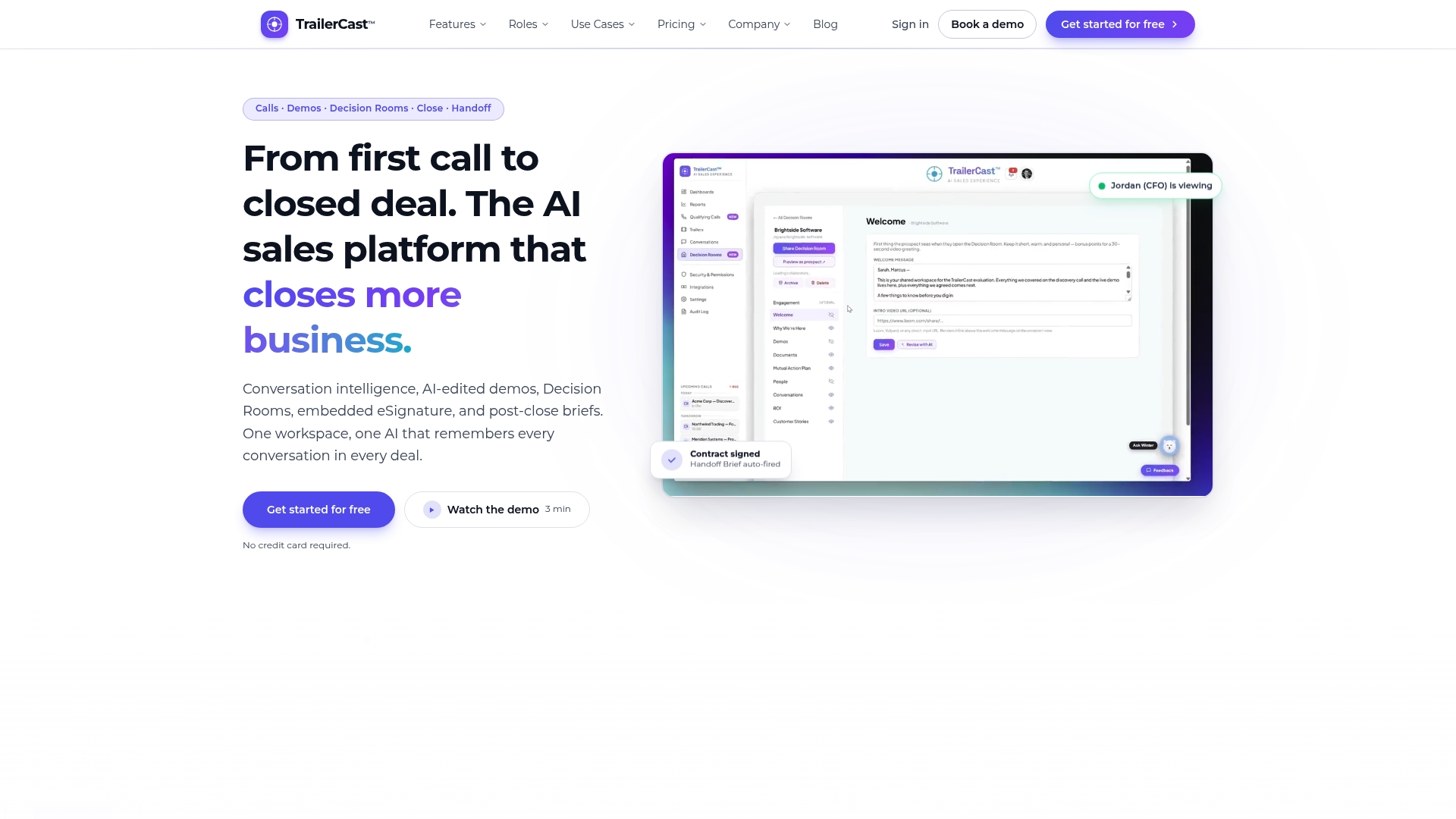
That’s the logic behind a deal-lifecycle workspace. With TrailerCast, an AI notetaker joins Zoom, Meet and Teams, writes speaker-by-speaker transcripts and summaries, and builds a Deal Brief that spans every call in the opportunity. From a demo recording, the AI picks the 8-15 minutes that mattered and turns them into a branded trailer, which you can personalize per stakeholder: a CFO trailer that talks pricing, a CISO trailer that talks security. Our CFO demo guide shows what that looks like in practice.
The same workspace covers buyer-facing decision rooms with engagement analytics, embedded eSignature and an AI-generated handoff brief for customer success. That’s five categories of tool replaced by one place where the deal lives.
Step 4: Reduce sprawl without breaking seller workflows
The fastest way to lose a quarter is to rip out tools mid-pipeline. A safer approach has a few rules.
Keep one authoritative tool per core workflow. One guide puts it bluntly: manual data transfer between tools signals an architecture gap. If a rep copies something from tool A to tool B every week, one of them is redundant or the connection is missing.
Require native CRM integration. A rationalized stack should integrate natively with the CRM and cover core workflows without duplication.
Give every sunset a plan. Before a hard cutover, survey reps, pilot replacements, and give each sunset a data-migration plan, an owner and advance notice. For anything that touches CRM records, a migration playbook suggests mapping entities, deduplicating and normalizing, running at least three full-cycle dry runs and keeping rollback plans with source backups.
Keep a safety net. If the replacement adds more than five hours of manual work per rep per month, restore temporary read-only access to the legacy tool while you fix the gap.
Use champions. The same playbook suggests a network of 6-10 superusers, role-based training and weekly adoption reports. Pick one seller, one SE and one manager. Sellers believe other sellers.
A sensible order of operations
Start with the tools that overlap most and touch the least data: duplicate enrichment, a second notetaker, a standalone video tool. Move to the tools that hold customer-facing content next. Leave the CRM itself for last, since everything else depends on it.

If call recording is where you begin, our conversation intelligence coaching playbook and the discovery call notetaker page show how the call layer connects to the rest of the deal.
What it costs and what can go wrong
Budget for more than subscriptions. The costs that surprise teams are integration upkeep, training and context switching. One write-up cites a 2024 study finding that 42% of consolidation projects miss their year-one savings target, often because the cost of rebuilding what the old tool did was underestimated.
The upside is real when the work is done carefully. A Series B SaaS case study found that seven of 14 GTM platforms overlapped, three were barely used, and the integration layer consumed 40% of RevOps capacity. Moving to six core tools plus two custom replacements removed £350k in annual spend and cut data reconciliation time by 80%. A separate consultancy estimates that a typical mid-market company can reclaim 15% to 25% of sales-and-marketing tech spend. These come from single case studies, so use them to frame questions for your own audit rather than as targets.
Watch for these failure modes:
- Cutting by price. The cheapest tool to cancel is rarely the most expensive to keep.
- Cutting by org chart. A tool “owned” by marketing might be the one your SEs rely on for demo follow-up.
- Ignoring the buyer side. If your champions use a shared room or a trailer to sell internally, removing it removes their leverage.
- No rollback. Every sunset needs a way back for a few weeks.
How to tell it worked
Decide on your metrics before the cutover, not after. For 60 days after a sunset, track rep productivity (outbound activities per rep per week and pipeline velocity), manual-effort lift, and replacement adoption at weeks four and eight. Pipeline velocity here means average time from first touch to closed-won for deals that started after the change.
For the longer view, a CRM ROI model suggests checking adoption at 30 days, early efficiency at 90 days, meaningful ROI at six months and full ROI at 12 months. The same source treats adoption as a leading indicator and recommends tracking data quality: completeness, duplicate rates and data decay.
A short scoreboard works well:
| Metric | Baseline | Week 4 | Week 8 |
|---|---|---|---|
| Active users on replacement tool (% of expected) | n/a | ||
| Hours per rep per week on workarounds | |||
| Duplicate records in CRM | |||
| Days from first touch to closed-won | |||
| Total monthly tool spend |
As an SE, add one qualitative check: are champions forwarding material to other stakeholders? Engagement analytics from decision rooms and trailers, covered in our guide to sales engagement analytics, make that visible.
Where TrailerCast fits
If your audit shows separate tools for call recording, demo video, a buyer-facing room, eSignature and customer handoff, TrailerCast replaces all five with one workspace. There is one plan with every feature, from $59 per month per seat, billed monthly or annually, after a free trial. No feature gating, no tier to climb. Details are on the plan page.
For a team of eight sellers and SEs, that’s a seat count you can put straight into the scoreboard above next to what you pay now for the five tools it would replace. For the CFO conversation about the business case, our tech stack consolidation playbook lays out the argument in finance terms.
Our perspective
Most rationalization projects start with a spreadsheet and end with a smaller spreadsheet. The tool count goes down, the deals still stall, and nobody can say why.
Here is what we’ve come to believe. The cost of a fragmented stack isn’t mainly the license fees. It’s that no single system understands the deal. The call recorder knows what was said, the video tool knows what was shown, the room knows who opened what, and none of them know each other. So the seller becomes the integration layer, and the seller isn’t in the room when the champion has to defend the purchase to a CFO.
That’s why we built TrailerCast as one workspace where a single AI follows the whole opportunity: Calls, Demos, Decision Rooms, Close, Handoff. It remembers every call, demo and message, so the deal stays coherent even when you’re not there. A CFO gets a trailer about pricing. A CISO gets one about security. The signature happens where the buyer already is, and the handoff brief writes itself from what was actually said.
If you’re going to rationalize, rationalize toward something: a stack where each stage of the deal feeds the next. Count the tools you remove, but count the dropped handoffs you stop having too.
Daniel
FAQ
How many tools should a sales stack have?
There is no right number, and the published averages vary by source. One benchmark cited by a vendor reports 8.3 tools per team costing $187 per rep per month, but your target should come from your audit. Aim for one authoritative tool per core workflow, with native CRM integration and no manual re-entry between them.
What should I cut first?
Start with direct overlaps that touch little customer data: duplicate enrichment, a second call recorder, a stand-alone video tool. These are the most common overlaps in RevOps audits, and retiring them rarely disrupts a live deal. Leave the CRM and anything that holds buyer-facing content until you have a migration plan and a pilot.
How long should rationalization take?
The audit and classification can take a few weeks. Each sunset then needs its own pilot, migration and a 60-day measurement window. A staged rollout, one overlap at a time, keeps your pipeline protected and gives you clean before-and-after numbers.
Does consolidating into one platform mean one point of failure?
It means one place to manage, secure and measure. Plan the move the same way you would any other: map your data, run dry runs, keep a rollback path and keep read-only access to the old tool for a short period. Admin items such as SSO are worth settling up front.
Sources
- Sales tech stack consolidation questions
- How tech-stack consolidation is redefining B2B SaaS
- Building a unified GTM data layer
- Tech stack audit template
- How to audit your sales tech stack
- GTM tech stack rationalization practical guide
- Tech stack rationalisation case study
- Why your GTM stack has too many tools
- The RevOps tech stack audit
- How to sunset a sales-tech tool
- Replace multiple apps with one CRM
- Hidden cost of sales tool sprawl
- Stack rationalization as a revenue lever
- Measuring the ROI of a CRM implementation
- AI sales stack 2026