The Real Cost of Tool Sprawl for B2B Sales Teams

The cost of tool sprawl in a B2B sales team is mostly not on the invoice. License fees are the visible part. The rest is admin hours, integration upkeep, context switching, slow onboarding and deal details scattered across systems nobody has time to reconcile. One 2026 analysis of a 14-tool stack found a $387,000 license bill that became roughly $600,000 once maintenance, onboarding and switching were counted. If you sell or run demos for a living, you feel the cost in a different place: the champion who walks back into a meeting without the answers, because they live in a recording nobody will rewatch.
This guide shows where the money and time go, how to put a number on it using your own data, and how to cut it without breaking your sales process. For teams running calls, demos, buyer rooms, signatures and handoffs on separate tools, one workspace such as TrailerCast is the shortest route to removing the problem.
TL;DR
- Tool sprawl is a pile of disconnected apps that each cover one slice of a deal. The license line is only part of what you pay.
- The bigger costs are hidden: integration upkeep, context switching, onboarding time and redundant functions, such as two tools both recording calls.
- For sellers and sales engineers, the sharpest cost is lost deal context between calls, demos, stakeholders and handoff.
- You can estimate your own number in an afternoon with four inputs: licenses, admin hours, switching time and onboarding.
- Consolidating onto one workspace removes handoffs between tools. One plan, every feature, from $59 per month per seat.
Table of Contents
- What tool sprawl means on a sales team
- Where the money goes
- The cost sellers feel: lost deal context
- How to estimate your own cost of tool sprawl
- Build, buy or consolidate: the budget question
- How to cut sprawl without breaking your sales process
- What consolidation looks like for a deal
- Our perspective
- One workspace, one price
- FAQ
- Sources
What tool sprawl means on a sales team
Tool sprawl is what happens when every problem gets its own app. A notetaker for calls. A video tool for follow-ups. A deal room for the buying committee. A signature app for the contract. A doc for the handoff to customer success. Each purchase made sense on its own. Together they form a stack where nothing remembers what the other tools know.
The scale is not small. A June 2026 analysis puts the average mid-market RevOps function at 14 to 22 tools touching the revenue process. Another 2026 cost guide reports that 37 to 46% of sales tech spend goes unused or underutilized. Treat these as benchmarks from vendor-published research, not as a measurement of your team. Your own number is what matters, and we get to it below.
For you as a seller or sales engineer, the definition is more practical: sprawl is any time you have to ask “which tool has that?” before you can answer a buyer.
Where the money goes
1. Licenses you pay for but don’t use
This is the cost everyone sees. Seats bought for a pilot, tools that overlap, entitlements nobody logs into. The same cost guide cites a SaaS license utilization rate of 54%, meaning close to half of what companies license sits idle. On a sales team the usual overlap is predictable: one analysis of 938 B2B companies, reported in a 2026 RevOps blog post, found conversation intelligence and video recording among the most duplicated categories, with redundancy averaging $2,340 per rep per year.
2. Integration and admin work
Every connection between tools is something a person has to maintain. Fields change, an API updates, a sync silently fails, and somebody in RevOps spends Thursday afternoon fixing it. The Rework analysis says integration maintenance consumes 20 to 30% of capacity in 50 to 200 person RevOps functions. A separate benchmark estimates that, at a $150,000 fully loaded US RevOps salary, each tool carries roughly $75,000 of hidden headcount cost on top of licensing. That is one agency’s model, so use it as a prompt to count your own admin hours rather than as a rule.
3. Context switching
Switching between tabs is the cost you pay in selling time. The Rework piece estimates context switching eats 20 to 40% of productive time, and that a 25-person team losing 45 minutes per rep per day to switching loses more than 18 hours of selling time daily. Whatever the exact figure on your team, the direction is clear: sellers already spend a small share of the day with customers. The cost guide cites 16% of the workday engaging with customers.

4. Onboarding and ramp
A new rep has to learn five logins, five habits and the unwritten rule about which tool holds the real notes. In the 120-person example above, a three-month onboarding period was counted as part of the true tool cost. The same source describes a company that cut from 14 tools to 6 and saw a 20 to 30% shorter new-hire ramp. It is one company’s reported result, but the mechanism is easy to see: fewer places to learn means faster ramp.
The cost sellers feel: lost deal context
License math is a finance problem. The cost you carry is different, and it is where deals die.
Picture the usual multi-stakeholder deal. Your champion loves the demo. Then they walk into a meeting with a CFO who wasn’t on the call, and a security lead who needs answers that sit in minute 34 of a recording. Your champion is expected to re-sell the whole thing from memory. Meanwhile, the call notes sit in one tool, the follow-up video in another, the pricing PDF in a third, and the contract in a fourth.
The damage shows up in familiar ways:
- Inconsistent prep. The Rework analysis argues that context switching shows up as lower discovery quality, weaker objection handling and deals stalling over data sitting in three systems.
- Overwhelmed sellers. A 2026 blog post cites Gartner research that 72% of sellers feel overwhelmed by the skills their role requires, and that overwhelmed sellers are 45% less likely to hit quota.
- Sales engineer overload. Every stakeholder wants a slightly different demo. Without one place that stores the calls and the demo cuts, you rebuild the same material again.
- Dropped handoffs. What the buyer was promised in the sales cycle rarely reaches the person onboarding them.
None of this appears in a budget line. It appears as a slipped quarter.
How to estimate your own cost of tool sprawl
You don’t need a consultant. You need four numbers and an hour with RevOps and finance.
- List every tool that touches a deal. Include the ones paid for on a team lead’s credit card. A rationalization guide suggests you should expect 30 to 40% more apps than the official inventory shows.
- Add up annual license cost. Seats times price times 12, per tool.
- Estimate admin hours. Ask whoever owns the integrations how many hours per week go to fixing syncs, managing seats and answering “where is that?” questions. Multiply by their loaded hourly rate.
- Estimate switching time. Ask a handful of reps how many minutes per day they spend moving information between tools. Multiply by loaded hourly rate, working days and headcount.
- Add onboarding. How many extra days does a new hire need to learn the stack, times their loaded cost.
A worked example
These numbers are hypothetical, to show the method. Take a 20-rep team running five separate tools at $40 per seat per month.
| Cost | Calculation | Annual |
|---|---|---|
| Licenses | 20 reps × 5 tools × $40 × 12 | $48,000 |
| Admin | 10 hours/week × 52 × $75 | $39,000 |
| Switching | 30 min/day × 20 reps × 230 days × $60/hour | $138,000 |
| Total | $225,000 |
In this example, licenses are about a fifth of the total. Your ratio will differ, but the pattern is why teams that only compare price tags undercount the problem. If your admin and switching inputs are honest, your own total will probably look uncomfortable too. For a CFO-ready version of this exercise, our tech stack consolidation playbook walks through it.
One caution on switching time: it is the softest input. Present it as recovered capacity, not as a cash saving, when you take the number to finance.

Build, buy or consolidate: the budget question
When the stack gets messy, some teams consider stitching it together with custom integrations. That adds its own ongoing cost. If you are weighing that, a primer on build versus buy software costs explains why the lifetime cost of custom work usually exceeds the first estimate. For most sales teams, the cheaper path is fewer tools, not better glue between many.
How to cut sprawl without breaking your sales process
The fear is reasonable: rip out a tool mid-quarter and you lose a month. A staged approach keeps pipeline safe.
- Map tools to workflow steps. Calls, demos, buyer sharing, signature, handoff. Any step with two or more tools is an overlap candidate. One guide says most stacks reveal three to five overlapping categories.
- Check actions, not licenses. Who actually used the tool in the last 90 days? A rationalization guide treats fewer than 40% of licensed users logging in as a candidate for removal.
- Score adoption against impact. Be careful with tools that look idle overall but are critical to a few high-value deals. The same guide warns that these are the most dangerous cuts.
- Run a parallel test. Pick one small team and give them the consolidated setup for 30 days. The company in the earlier example ran a 30-day parallel test with a small team before moving from 14 tools to 6.
- Cancel at renewal. Time the cutover to the renewal date so you don’t pay early-termination fees. The overlap guide recommends canceling at the renewal boundary.
- Re-audit quarterly. Without governance, sprawl tends to return within about 18 to 24 months.
When you evaluate what replaces the old tools, use a written scorecard rather than a demo-day impression. Our decision criteria checklist for SaaS software is built for that. If IT is involved, the SSO and SAML admin checklist covers the security review.
What consolidation looks like for a deal
Here is the deal lifecycle in one place instead of five.
- Calls. An AI notetaker joins Zoom, Meet and Teams, transcribes by speaker and produces summaries, talk-time analysis and action items. It builds a Deal Brief that spans every call in the opportunity. See how it works on discovery calls.
- Demos. From a demo recording, the AI picks the 8 to 15 minutes that mattered and builds a branded trailer. You can personalize it per stakeholder: a CFO trailer that talks pricing, a CISO trailer that talks security. For sales engineers, that means recording a demo once and not rebuilding it for every audience.
- Decision Rooms. A buyer-facing space with engagement analytics, so you see what the buying group opens. More on the buyer portal.
- Close. eSignature is embedded in the same workspace. Here is why in-app signing wins.
- Handoff. The AI generates a post-close brief from everything that happened in the deal.
The point is not fewer logos on a slide. It is one AI following the whole opportunity, so the deal stays coherent when you aren’t in the room.
Our perspective
I built TrailerCast because the calls were never the problem. The space between them was.
Most sales stacks are very good at capturing a conversation and very bad at carrying it forward. The champion leaves a great demo and walks into a meeting where the CFO wasn’t present and the security lead wants answers buried in a recording. Five tools each hold a fragment of that story, and none of them can tell you what the buying group still doesn’t know.
That is why we put calls, demos, decision rooms, eSignature and handoff in one workspace, followed by one AI. Our design goal is that the deal’s memory lives in one place, so a CFO trailer, a security answer and a handoff brief all come from the same source.
When you count the cost of sprawl, count that too: not only the seats, but the deals that stalled in a meeting you weren’t part of.
Daniel
One workspace, one price
TrailerCast is one plan with every feature, from $59 per month per seat, with no feature gating or tiers. It covers conversation intelligence, AI-edited demo trailers, buyer-facing deal rooms, embedded eSignature, post-close handoff briefs, async video follow-up and pipeline reporting.
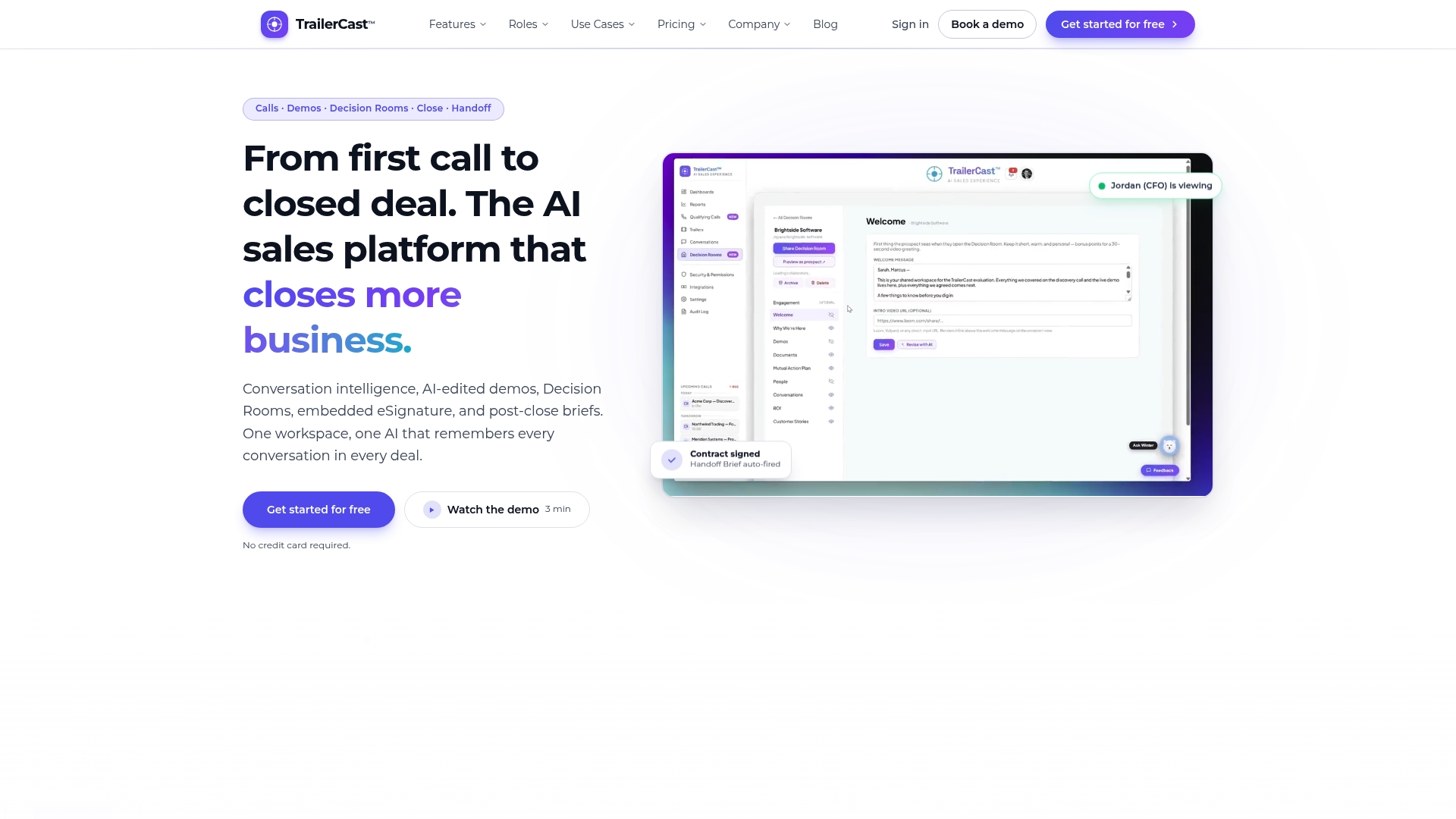
If you are building the case for your CRO or RevOps lead, start with the numbers from your own stack, then compare them with a single per-seat price on the TrailerCast plan page.
FAQ
What is the cost of tool sprawl?
It is the total of license fees, admin and integration time, context switching, onboarding and redundant functions across your stack. Published analyses suggest licenses are only about 40 to 50% of true tool cost, so the invoice understates it. Your own figure depends on your team size and rates.
How many sales tools is too many?
There is no magic number. A better test is overlap: if two or more tools cover the same workflow step, or reps need several tabs to prepare for one call, you have too many. Mid-market RevOps functions are reported to run 14 to 22 tools in the revenue process.
How do I convince my manager that consolidation is worth it?
Bring a one-page estimate using the four inputs above: licenses, admin hours, switching time and onboarding. Show the stalled-deal examples next to it. A 30-day parallel test with a small team makes the case concrete without a company-wide switch.
Will consolidating slow my team down at first?
Plan for a short dip. One rationalization guide suggests modeling a two to three month productivity dip in scenario planning. Starting with a small team, cutting at renewal and keeping the timeline honest limits the disruption.
Sources
- The True Cost of Software Sprawl
- The GTM Stack Audit Every Revenue Leader Should Run
- The Hidden Cost of RevOps Tool Sprawl
- Cost of Sales Tech Stack in 2026
- B2B Tech Stack Consolidation: The Highest-ROI Play
- SaaS Rationalization: Cut Tool Sprawl, Keep Productivity
- What Is Tool Overlap?
- Understanding Custom Software Costs: When to Build vs. Buy