Top 4 Client Onboarding Tools Alternatives 2026
Disconnected client onboarding tools force sales and customer success teams to juggle multiple apps and lose track of deal context. Many tools charge high premiums for basic features, lack true CRM integration, or only offer partial automation for onboarding and handoff steps. Sales and customer success teams can compare price, integrations, and workflow automation across four alternatives and pick the right platform to keep deals on track.
Table of Contents
TrailerCast
At a Glance
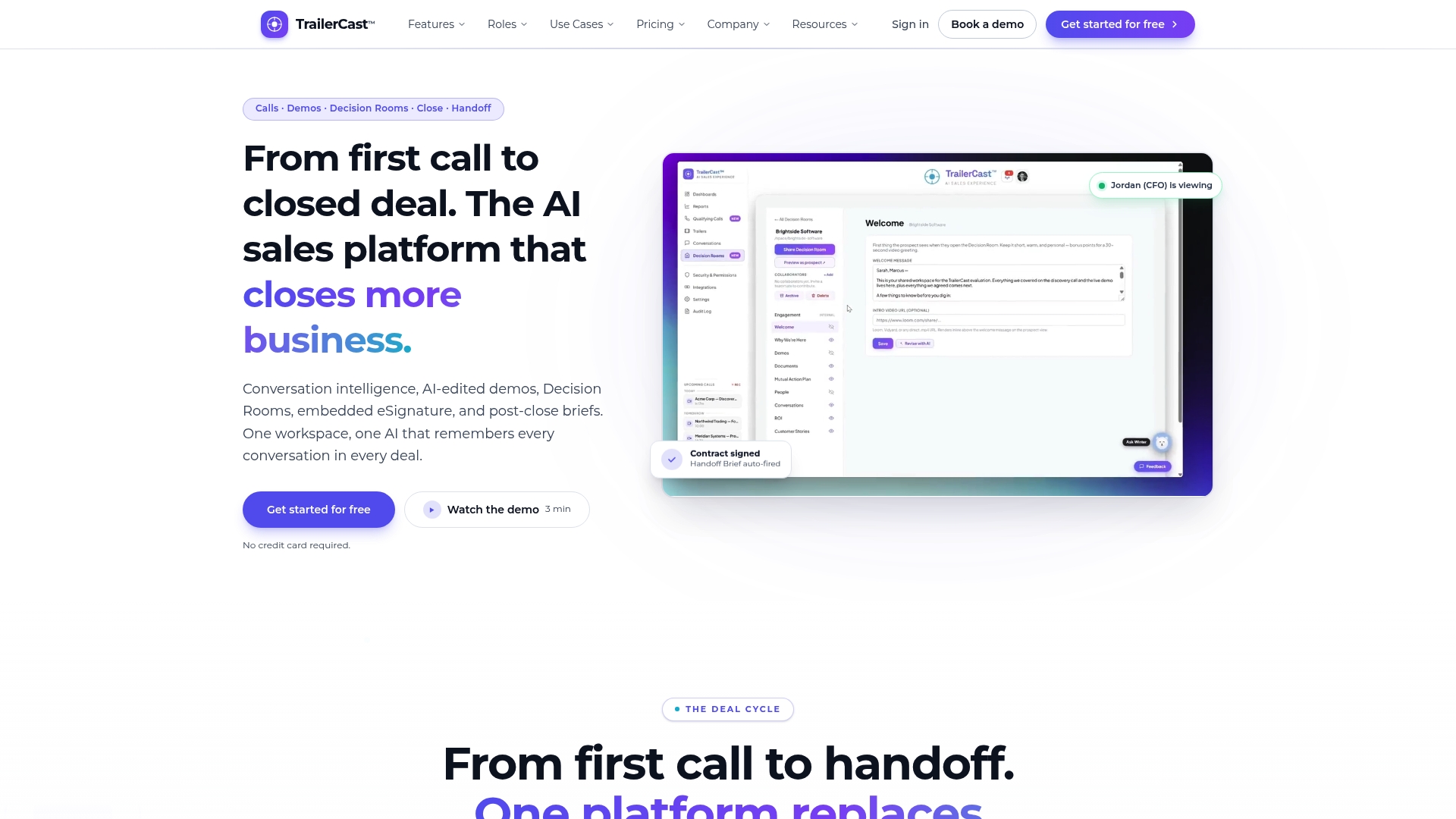
Replaces five disconnected sales tools with a single workspace that keeps every call, demo, document, and handoff tied to the same deal. TrailerCast stitches conversation intelligence, demo video, Decision Rooms, eSignature, and AI handoff briefs into one deal record. A free trial requires no credit card, so teams can validate the workflow quickly.
Core Features
Conversation intelligence joins Zoom, Google Meet, and Microsoft Teams calls, transcribes speaker by speaker, and produces structured summaries, talk time analysis, qualification verdicts, and action items. The AI edits demo recordings into personalized trailers and stores them alongside discovery notes in a Decision Rooms workspace for buyer facing collaboration. eSignature closes contracts inside the app and triggers AI prepared handoff briefs for Customer Success.
Key Differentiator
A single AI follows every opportunity across calls, trailers, Decision Rooms, negotiation, and handoff. That continuity lets the platform surface the right clip, document, or stakeholder insight for the person who missed a call. Instead of separate artifacts in multiple tools, TrailerCast builds an evolving Deal Brief that keeps context attached to the opportunity.
Pros
Consolidating conversation intelligence, demo video, buyer facing Decision Rooms, eSignature, and post close handoff into one workspace reduces tool switching for sellers. AI powered automation generates trailers and call summaries so champions get tailored assets to share with finance, security, or procurement. A free trial with no credit card lowers the barrier to test the workflow before a team commits.
Cons
- Enterprise security and compliance features require custom contracts and sales led negotiations outside the standard plan.
Notable Integrations
- Zoom: native call join and recording capture.
- Google Meet: calendar linked auto join and transcripts.
- Microsoft Teams: meeting capture and speaker separated transcripts.
- Salesforce (enterprise add on): native sync available through custom contract.
- HubSpot (enterprise add on): CRM sync offered as an enterprise option.
Who It’s For
Best fit for B2B sales teams that manage multi stakeholder deals with three to seven decision makers. CROs, VPs of Sales, and RevOps leaders who own the stack will find the consolidation pitch useful. Teams sized about eleven to two hundred employees align with the product targets and common use cases.
Unique Value Proposition
Embedded eSignature closes deals inside TrailerCast, removing a separate DocuSign step. That shortens the final approval loop and fires an AI prepared handoff brief to Customer Success automatically. Fewer tools mean fewer integrations to maintain and clearer accountability when a champion shares a trailer with stakeholders.
Real World Use Case
A sales team allows the AI notetaker to join every scheduled call and auto generate transcripts and summaries. After a demo the AI produces a personalized trailer and the seller opens a Decision Room for buyer collaboration. When the contract signs the platform sends an AI handoff brief so Customer Success begins with context instead of starting from scratch.
Pricing
$59 per seat per month billed annually, with a free trial that requires no credit card. Enterprise add ons such as SSO, white label, and native CRM sync are available under custom contracts.
Website: https://trailercast.io
Projetly
At a Glance
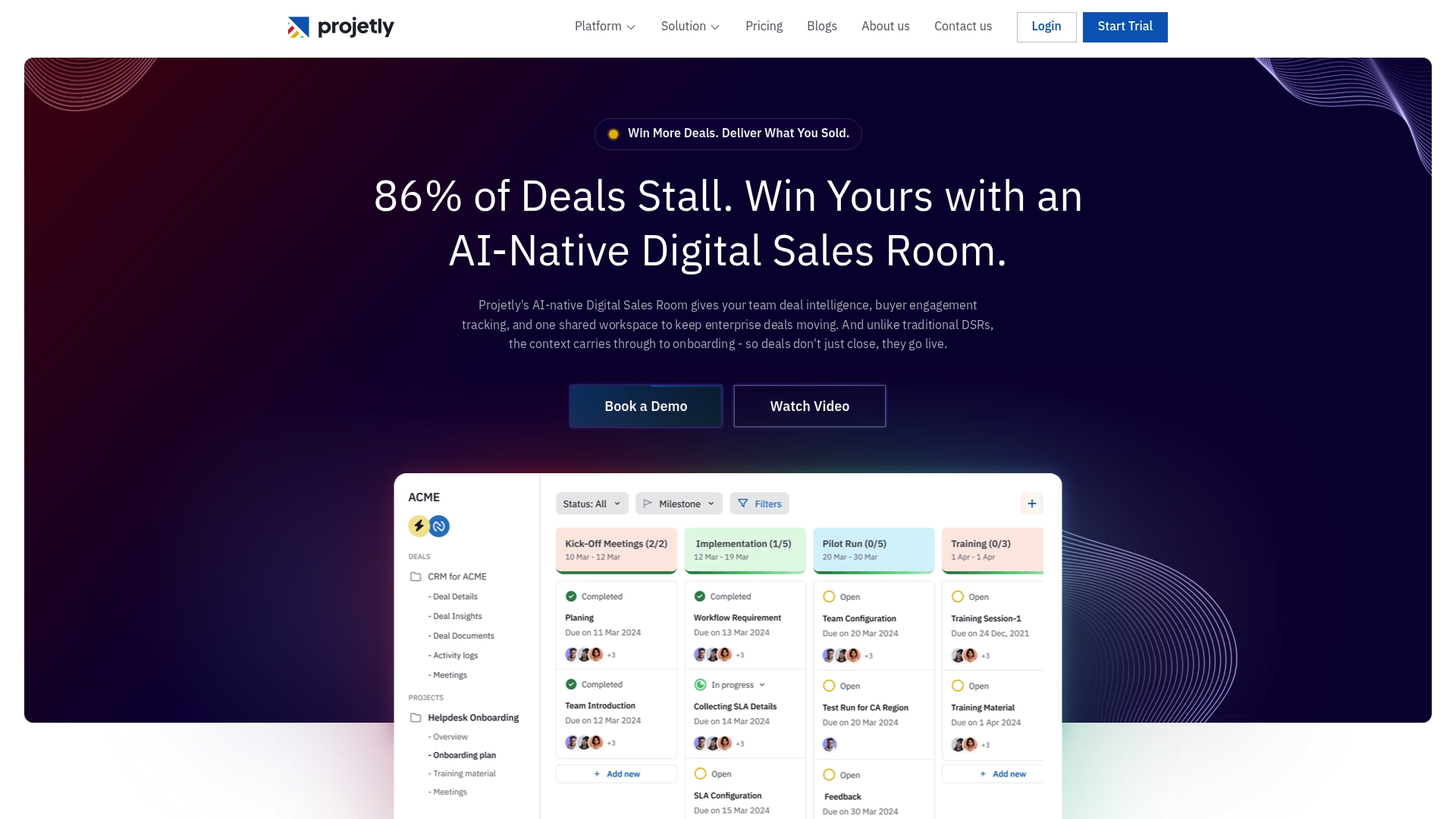
Projetly uses token rewards powered by smart contracts to incentivize buyer and team engagement and to track execution progress. The platform combines AI powered deal tracking, buyer engagement monitoring, and onboarding workflows into a shared workspace for sales and success teams. That setup reduces context loss when deals move from demo to live.
Core Features
AI powered deal tracking captures engagement signals and centralizes transcripts, notes, and verdicts so teams see the same evolving deal brief. Mutual Action Plans align post demo steps while structured onboarding workflows automate task handoffs and follow up actions. A shared workspace connects sales, onboarding, and customer success and token rewards use smart contracts to nudge participation.
Key Differentiator
What sets Projetly apart is pairing an AI native deal engine with smart contract based incentives. That combination keeps buyer momentum visible and gives champions something tangible to share with other stakeholders. The token layer provides a direct engagement lever for teams that want rewards in addition to analytics.
Pros
The interface feels intuitive and organizes deal context so cross functional teams find relevant content quickly. Automation reduces repetitive follow ups and hands tasks to the right team at the right time. Token rewards and the shared workspace increase visibility during the handoff from sales to customer success.
Cons
-
Limited customization options reported by users can frustrate teams that need heavy branding or tailored workflows.
-
Reporting remains basic compared with specialized analytics platforms, so teams needing deep insights will want a secondary tool.
-
Integrations with some external tools may need improvement for complex CRM or data syncing scenarios.
-
Several reviewers mention mobile app performance issues that limit on the go access.
When It May Not Fit
Projetly may not fit teams that require deep reporting or heavy customization. Mobile first teams should test the app thoroughly because users report slow performance. Large enterprises with complex integration needs may need a more mature connector ecosystem. If your process relies on extensive analytics, plan to pair Projetly with an analytics specialist.
Notable Integrations
Integrates with Office 365, Google Workspace, Zoom, and HubSpot CRM. Those connectors handle calendar syncing, file sharing, meeting capture, and basic CRM updates to keep deal activity and engagement signals in one place.
Who It’s For
Revenue teams at medium to large enterprises that run multi stakeholder B2B sales will get the most value. It fits teams that need shared workspaces, automated onboarding flows, and a way to reward engagement beyond analytics.
Real World Use Case
A mid market SaaS vendor uses Projetly to keep sales and onboarding teams aligned after demos. The system automates follow ups based on engagement signals and issues token rewards to encourage timely completion of trial tasks. That workflow shortens handoff friction and raises the odds of a faster go live.
Pricing
Pricing starts at $19/month for the Starter plan. Growth and enterprise tiers are available and annual billing discounts apply.
Website: https://projetly.ai
TaskRay
At a Glance
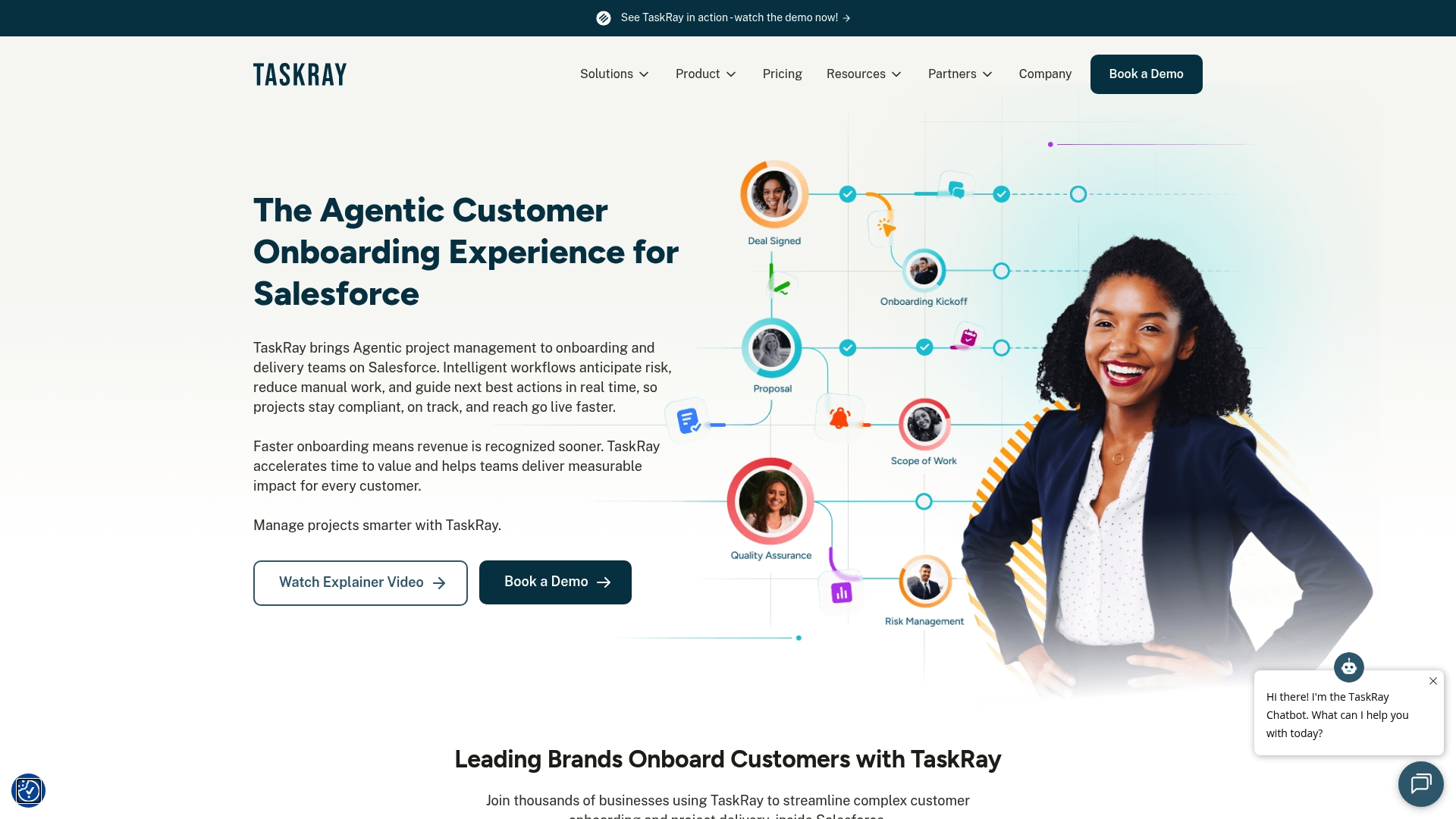
TaskRay keeps project plans and onboarding work directly on the same Salesforce records as opportunities. That placement makes handoffs and reporting simpler for teams that already live inside Salesforce. The product includes AI prioritization and external client portals for regulated-client collaboration.
Core Features
TaskRay provides real-time project tracking, milestone management, and workload planning with customizable templates that enforce repeatable onboarding steps. It offers multiple visualization modes including Gantt and Kanban, calendar views, and resource planning tools, plus a branded external portal called the Collaboration Hub for client and vendor access. The product claims AI-driven workflow prioritization and integrates with Salesforce and Revenue Cloud.
Key Differentiator
TaskRay embeds project management into Salesforce so task status, milestones, and handoff notes live on CRM records rather than in a disconnected tool. That single-environment approach reduces record reconciliation and keeps customer context attached to deals and accounts.
Pros
Because TaskRay runs inside Salesforce, teams keep project context tied to opportunity and account records without a separate sync process. Visualization options such as Gantt and Kanban help sellers and project managers view progress in the format they prefer, and templates plus automation make repeatable onboarding flows easier to enforce across accounts. The Collaboration Hub supports secure external access for regulated clients, and the vendor points to strong support resources and scalability for mid-to-large deployments.
Cons
- Limited bulk actions and mass updates slow changes across many tasks, which hurts efficiency on large programs.
- Some users report performance lag with high data volume or complex dashboards, so large datasets can feel sluggish.
- Customization can be time consuming to configure and optimize for specific workflows.
- Interface responsiveness degrades in certain views when records scale into the tens of thousands.
When It May Not Fit
If your team does not use Salesforce as its primary CRM, TaskRay will add unnecessary platform lockin. Organizations that require aggressive bulk editing and mass updates may find the product restrictive. Teams with extremely large datasets should validate performance on a production-sized dataset before committing. Small teams seeking a lightweight, out-of-the-box project board may prefer a simpler standalone tool.
Who It’s For
Salesforce users who manage complex customer onboarding, cross-department delivery, or compliance-heavy projects will get the most from TaskRay. The product suits mid-to-large enterprises in SaaS, financial services, healthcare, and manufacturing that need project records to live inside the CRM. RevOps and implementation teams that value templates and client-facing portals will find the feature set relevant.
Real World Use Case
A financial services firm uses TaskRay inside Salesforce to standardize onboarding sequences and embed compliance checklists on account records. The Collaboration Hub gives external stakeholders read access to milestone status and key documents while project managers use templates to reduce variation between accounts. That setup shortened manual follow ups and kept audit trails within the CRM.
Website: https://taskray.com
OnRamp
At a Glance
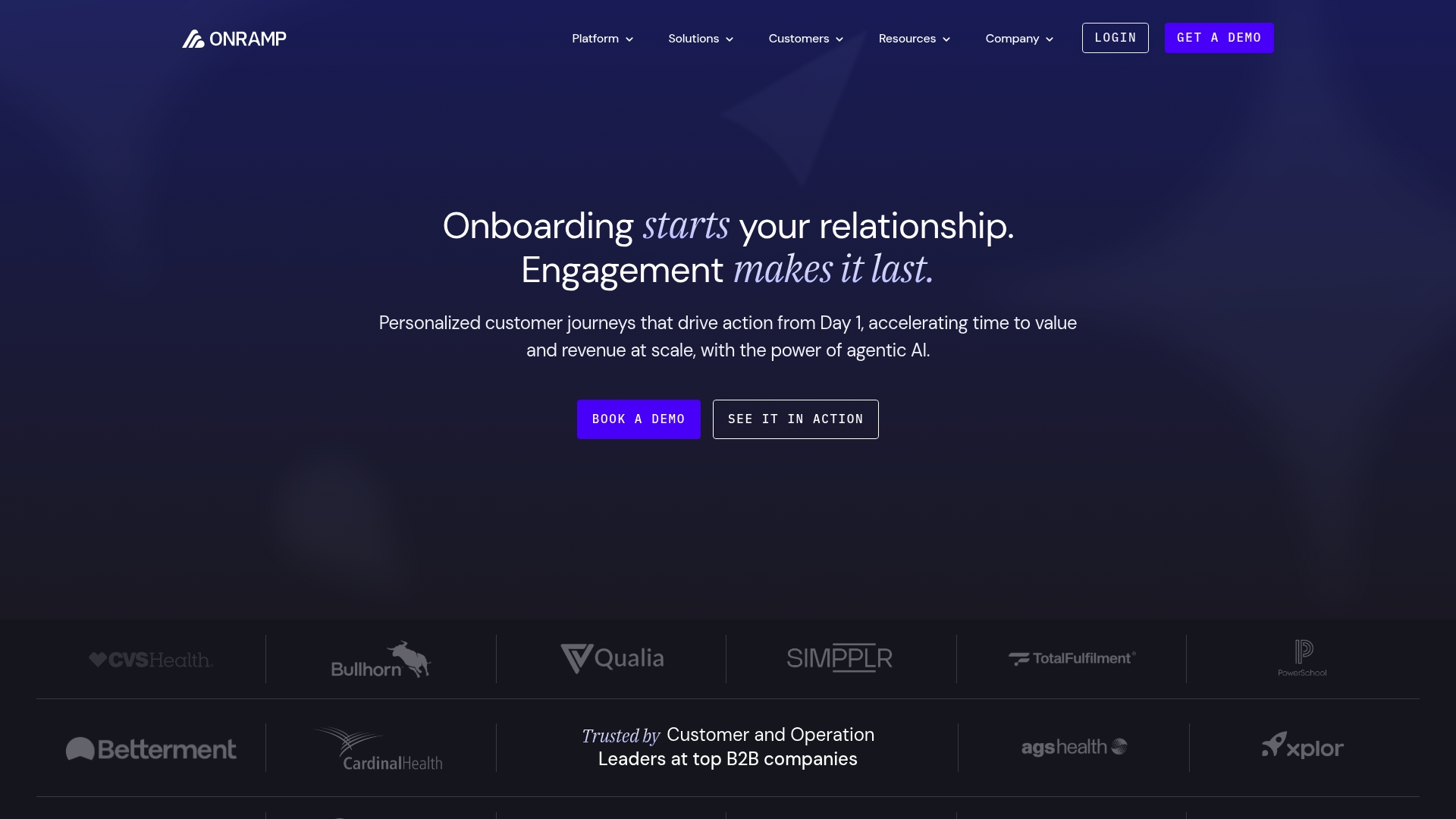
Starts at $15,000, with plans scaled by onboarding volume, team size, and complexity. OnRamp uses an agentic AI to build tailored workflows from spreadsheets or plain language. The system focuses on keeping post sales momentum through personalized customer journeys and automated follow ups.
Core Features
OnRamp delivers adaptive customer journeys that change in real time based on customer data and behavior. Its AI agents generate and automate workflows from simple inputs, while data connectivity pulls signals from CRM and other systems into a single decision surface. The platform also offers dynamic rule based logic for tasks and AI powered reporting that highlights bottlenecks and summarizes customer feedback.
Key Differentiator
OnRamp’s main edge is its agentic AI that constructs and adapts onboarding flows automatically from spreadsheets or natural language prompts. That approach reduces manual workflow design and keeps handoffs consistent across stakeholders. The automation is intended to keep customer momentum after contract signature.
Pros
The product includes an easy to use customer facing portal with document collaboration and messaging that helps champions share progress. Its drag and drop workflow editor and project management tools make designing playbooks straightforward for operations teams. Role based visibility supports scaling across CSMs and implementation teams, and built in connectors to Salesforce and HubSpot plus an open API and Zapier support simplify data syncs.
Cons
- Internal task management can feel weaker, with navigation quirks when handling sub tasks.
- Initial setup requires substantial configuration time and may need a dedicated implementation resource.
- Automated escalation features are limited, so complex internal routing may need another tool.
When It May Not Fit
Teams that need highly detailed internal task orchestration with advanced escalation logic will find OnRamp less suitable. Organizations with minimal implementation support or who need a plug and play setup will face a longer ramp because of the configuration demands.
Notable Integrations
Salesforce, HubSpot, Zapier, and an open API for custom syncing and automation.
Who It’s For
Customer success, operations, and onboarding teams at mid sized to large companies that must scale and personalize onboarding across many accounts. The product fits companies in SaaS, healthcare, or distribution that already use CRMs and want onboarding data fed back into those systems. It suits teams willing to invest in configuration to gain automated, adaptive workflows.
Real World Use Case
According to the company, a healthcare SaaS provider reduced onboarding time by 30% and increased capacity threefold using OnRamp. The vendor reports those gains came from AI built workflows and tighter CRM integration. In practice, that meant fewer manual handoffs and faster customer activation for new accounts.
Pricing
Pricing starts at $15,000 and scales by onboarding volume, team size, and implementation complexity. Enterprise add ons and custom contracts are available for SSO, white label, and deeper system integrations.
Website: https://onramp.us
Comparison of alternatives
Choosing the client onboarding tool depends on your team’s needs and operational style. Each solution offers unique advantages and trade-offs:
Advantage in operational continuity
TrailerCast stands out through its unified approach. Every aspect of the onboarding process, including communication, decision enforcement, and handoff, remains centrally synchronized. In contrast, other platforms like Projetly rely on integrating disparate processes, which may not suit all teams.
Incentivized engagement integration
Projetly incorporates token-driven mechanisms to enhance buyer involvement. This unique feature becomes particularly practical in environments where buyer engagement is challenging. However, while this boosts interaction alignment, it might lack the integration depth of Salesforce-first platforms like TaskRay.
Best fit
- For managing complex, multi-stakeholder B2B deals, TrailerCast offers continuity throughout the deal cycle without requiring additional tools.
- Teams needing token incentives to enhance buyer participation will benefit from Projetly’s token-reward system.
- Organizations fluent in Salesforce will appreciate TaskRay’s direct CRM embedding, offering integration into preexisting processes.
- Large companies managing adaptable workflows over diverse accounts will favor OnRamp, especially for its AI-driven operations.
Our pick
TrailerCast emerges as the recommended choice for its all-encompassing features that maintain synchronized deal context at every stage. However, teams with alternate priorities, such as Salesforce dependency or buyer engagement, may prefer other options.
Choosing the right client onboarding tool involves evaluating features, user suitability, and price against specific team needs.
| Product | Core Feature | Best For | Pricing | Limitation |
|---|---|---|---|---|
| Trailercast | Unified workspace for sales tools | B2B sales teams managing multi-stakeholder deals | $59 per seat per month, annually | Enterprise security requires custom contracts |
| Projetly | Smart contract-based token rewards | Revenue teams in medium to large enterprises | Starting at $19/month | Limited customization and basic reporting capabilities |
| TaskRay | Salesforce-integrated project management | Salesforce users managing onboarding projects | Price not published | Platform-dependent; limited bulk actions |
| OnRamp | Agentic AI for real-time adaptive workflows | Mid-sized to large companies scaling onboarding | Starting at $15,000 | Requires significant upfront configuration and lacks advanced escalation tools |
Why Client Onboarding Tools Often Fall Short for Multi-Stakeholder Deals
Complex B2B sales with multiple decision makers face a common trap. Your champion leaves a strong demo but struggles to resell internally. Key stakeholders like CFOs or CISOs miss critical details hidden in scattered notes and recordings. This gap kills deal momentum between calls and after signing.
Trailercast solves this by replacing five separate onboarding and sales tools with one AI platform that holds every call, demo, and document in one place. Its AI-edited trailers personalize demos for each stakeholder. Embedded eSignature accelerates closing, while automatic AI handoff briefs keep Customer Success informed and ready.
See how Trailercast builds an evolving Deal Brief across calls, demos, decisions, and post-close. Visit Trailercast and experience the single workspace designed to keep your deals alive beyond the demo. Try it free with no credit card and cut the chaos today.
FAQ
How does Trailercast handle conversation intelligence during calls?
Trailercast captures conversation intelligence through Zoom, Google Meet, and Microsoft Teams calls. It transcribes conversations speaker by speaker and produces structured summaries, talk time analysis, qualification verdicts, and action items. This feature allows sales teams to have comprehensive insights for enhancing their strategies during calls.
What is the difference between Projetly and Trailercast?
Projetly uses token rewards powered by smart contracts to incentivize buyer and team engagement. While this uniquely increases buyer momentum, Trailercast excels in providing a full digital sales room experience, integrating conversation intelligence and demo video capabilities in one place. Each tool serves a different purpose based on your sales process needs.
Can I use eSignature with Trailercast to close contracts?
Yes, Trailercast features an embedded eSignature solution that allows users to close contracts directly inside the app. This integration shortens the final approval loop and automates handoff briefs to Customer Success, making the process more efficient.
Which platform offers better multi-stakeholder collaboration?
Trailercast is designed for B2B sales teams managing multi-stakeholder deals, offering Decision Rooms that foster collaboration among multiple decision makers. This feature ensures all stakeholders remain aligned throughout the sales process, enhancing overall communication and project management.
How does Trailercast assist with personalizing demo recordings?
Trailercast automatically edits demo recordings into personalized trailers, storing them alongside discovery notes in Decision Rooms. This feature enables sales professionals to provide tailored assets to champions, making it easier to share information with other stakeholders.