What Is Account Engagement Scoring and How Do You Set It Up?

Account engagement scoring is an aggregated, time-decayed measure (0 to 100) of how much everyone at a target company is interacting with your marketing, product, and sales touchpoints. It’s not one contact’s activity. It’s the whole buying committee, rolled up.
Three things to do right now:
- Check your Account Intelligence score field and confirm it’s populating in Salesforce Account Engagement.
- Verify contact-to-account linkage is actually working, not just assumed.
- Set a temporary routing threshold (76+, for example) and test one sales handoff this week.
Account-level signals reflect the entire buying committee moving, not just one champion clicking around. Get this working, and you’ll shorten sales cycles by handing reps the accounts that are already leaning in.
Key Takeaways
Account engagement scoring works best when it combines broad marketing signals, weighted sales conversation data, and a decay window that keeps the score reflecting current, not historical, intent.
| Point | Details |
|---|---|
| Score the account, not the contact | Aggregate activity across every known buying-committee member, not just your champion. |
| Apply decay from day one | A rolling 90-day window with regular recalculation prevents old activity from inflating current scores. |
| Fix contact-to-account linkage first | Orphaned contacts and broken domain matching are the most common cause of missed buying-committee signals. |
| Tie thresholds to real actions | Map score bands to specific SLAs, like sales outreach within 24 to 48 hours for Hot accounts. |
| Enrich with conversation data | Trailercast captures pricing questions, objections, and demo engagement from sales calls as scoreable, timestamped events. |
Table of Contents
- Account Engagement Scoring vs. Lead Scoring: What’s Actually Different
- How Does Account Engagement Actually Calculate the Score?
- Where to Configure Scoring Rules and Categories in Account Engagement
- Setting Up Scoring Categories for Multiple Products or Business Units
- How Do You Map Score Thresholds to Sales Actions?
- Governance and Testing: Keeping Scores Trustworthy
- Two Scoring Templates You Can Copy Today
- How Do You Know If the Score Actually Predicts Revenue?
- Enriching Scores With Conversation Signals From Sales Calls
- A Pragmatic Take on Building Your First Model
- Give Your Scoring Model the Signal It’s Missing
- Where to Learn More About Account Scoring Mechanics
- Frequently Asked Questions
- Sources
Account Engagement Scoring vs. Lead Scoring: What’s Actually Different
Lead scoring measures one person. Account engagement scoring measures a company. That distinction sounds small until you’re staring at a champion with a 90 lead score while their CFO, their security lead, and two other stakeholders have never opened an email from you.
Lead scores live in a narrow range and reset with each new contact you import. Account scores aggregate across every known contact at that domain, which means breadth counts for more than intensity. Three different people at Acme Corp visiting your pricing page once each is a stronger signal than one person visiting it three times. That’s the buying-committee dynamic B2B deals actually run on, and it’s why customer engagement metrics built around individual behavior alone tend to undersell real account intent.
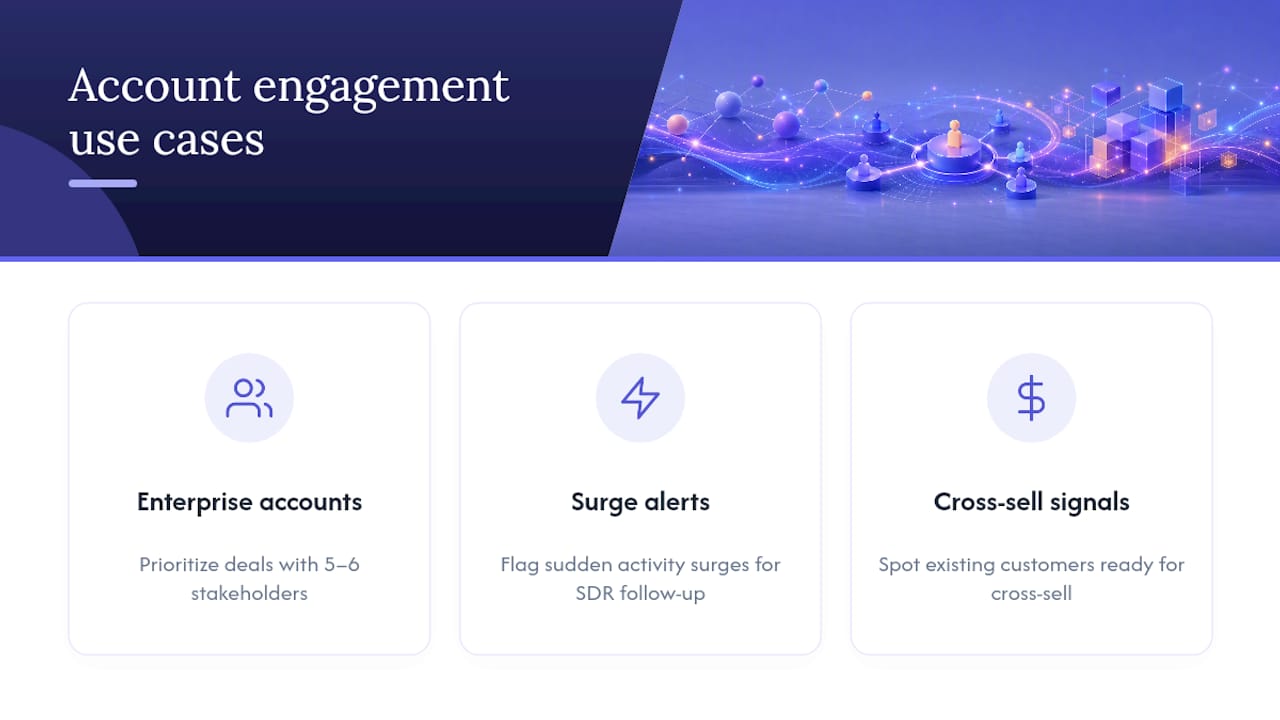
Use cases fall into three buckets: prioritizing enterprise accounts where five or six stakeholders touch the deal, flagging accounts that suddenly surge in activity for SDR follow-up, and spotting existing customers whose usage patterns signal they’re ready for cross-sell conversations.
How Does Account Engagement Actually Calculate the Score?
Salesforce Account Engagement’s Account Intelligence feature pulls from a defined set of behavioral inputs, weights them, and rolls the result up to the account record. Here’s what feeds the number:
- Email opens and clicks, weighted lower than most people assume.
- Form submissions and content downloads.
- Web page visits, with pricing and documentation pages typically carrying more weight than a blog post.
- Event and webinar attendance.
- Demo requests and CRM-logged meetings.
- Product usage data, when that integration exists.
Aggregation only works if contact-to-account linkage is solid. Activity rolls up from individual contacts to the parent account, and orphaned or domain-matched activity gets assigned to accounts only if you’ve configured that rollup. Skip this step, and you’re scoring a fraction of the real buying committee.
Account Engagement Scores commonly run on a rolling 90-day activity window, recalculated weekly, and most implementations require a full 90 days of activity before an account gets a score at all. That decay window matters: it stops a single big trade show quarter from permanently inflating an account’s score long after real interest has cooled.

Pro Tip: If your dashboard shows a spike in “Hot” accounts right after a conference, check whether decay is actually applying. A frozen decay setting is the most common reason scores stay artificially high for months.
Where to Configure Scoring Rules and Categories in Account Engagement
The scoring engine lives under Admin settings in Account Engagement. To edit point values, open the Scoring page and click Edit Scoring Rules, select the rule you want, and enter the point values for that action. Salesforce’s own documentation walks through this exact path, and it’s worth bookmarking before you touch anything in production.
Three tools do different jobs, and mixing them up causes most rollout confusion:
- Scoring Rules assign point values to specific actions.
- Automation Rules fire when a condition is met, like adding a contact to a list when score crosses a number.
- Engagement Studio builds multi-step nurture sequences that can branch based on score changes over time.
Before you go live, run through this:
- Test scoring changes in a sandbox environment first, never directly in production.
- Monitor sync logs between Account Engagement and Salesforce for a week after any rule change.
- Plan a rollback: keep a record of prior point values so you can revert fast if a change tanks your score distribution.
- Confirm you haven’t exceeded the platform’s limit on active score fields before adding a new one.
Setting Up Scoring Categories for Multiple Products or Business Units
One composite score works fine for a single-product company. It falls apart once you’re selling three products to five verticals. Scoring categories let you score prospects separately by product, service line, or business unit instead of dumping every signal into one number.
A workable structure looks like this:
-
An engagement-only score tracking raw activity volume and recency.
-
A separate product-interest score for each major product line.
-
A fit or ICP score reflecting firmographic match, independent of behavior.
-
A composite account score that combines fit and engagement for routing decisions.
Name your fields so a rep can understand them without asking marketing ops. Account_Web_Engagement_90d tells you exactly what it measures and over what window. Score_3 tells you nothing.
Pro Tip: Document every score field’s formula and update date in a shared wiki page. Six months from now, someone in sales ops will ask why a threshold changed, and “I don’t remember” is not an answer that builds trust in the model.
How Do You Map Score Thresholds to Sales Actions?
A score with no action attached is just a number sitting in a field. Tie thresholds to specific plays:
- Cold: stays in nurture, no sales touch.
- Cool: marketing continues, SDR gets a low-priority notification.
- Warm: SDR cadence begins, account added to a watch list.
- Hot: auto-assign to an AE, pause nurture, notify the account’s CSM if it’s an existing customer.
Set real SLAs against these tiers. Sales outreach within 24 to 48 hours for Hot accounts is a reasonable starting point, and holding reps to it is what actually shortens the gap between intent and contact.
One warning: don’t let a single number trigger a cold call. Require a second signal, fit score or a recent CRM event, before routing straight to sales. A single junior employee downloading three ebooks can spike an account score without a single real buyer in the room.
Governance and Testing: Keeping Scores Trustworthy
A scoring model nobody audits becomes a scoring model nobody trusts. Run this checklist regularly:
- Confirm contact-to-account linkage hasn’t degraded after a data import.
- Check sync health between Account Engagement and Salesforce for silent failures.
- Review which signals are driving most of the point totals, month over month.
- Watch for drift in source volumes, like a webinar platform integration going quiet.
Test before rolling changes org-wide:
- Run a historical backtest, retroactively scoring closed-won deals to see if your thresholds would have flagged them early.
- Pilot new weights with one team or territory before deploying everywhere.
- Run an A/B test on routing rules to measure whether the new thresholds change outreach speed or win rate.
Review weights quarterly, and immediately after any major campaign or website change. The most common failure mode is score inflation from decay that isn’t actually running, closely followed by missed orphan contacts whose activity never rolls up because nobody matched their email domain to an account.
Two Scoring Templates You Can Copy Today
Template A: quick ABM model. Demo request = 20 points, pricing page visit = 15, webinar attendance = 8, content download = 5, email click = 2. Sum these across every known contact at the account, then apply a breadth multiplier that rewards multiple distinct contacts engaging over one contact engaging repeatedly.

Template B: product-interest model. Demo request = 25, product trial activity = 20, repeated documentation visits = 10, email open = 1. This model suits companies where self-serve product usage is a stronger buying signal than marketing content.
Apply decay on top of either template: a linear decay over 90 days with roughly a 30-day half-life keeps recent activity weighted heavier than a webinar from two quarters ago. Build it as a nightly recalculation job or a rolling window, whichever your data infrastructure supports.
To calibrate, retro-score six to twelve months of historical accounts, then pick the threshold that historically captured most of your actual closed-won opportunities.
How Do You Know If the Score Actually Predicts Revenue?
Track these against score bands over time:
- Opportunity creation rate by score band.
- Win rate by score band.
- Sales cycle length for high-score versus low-score accounts.
- Average deal size for accounts that hit Hot before an opportunity was created.
Run a simple cohort test: retro-assign scores to a batch of historical accounts, split them by band, and measure how many generated opportunities or closed within the following 90 days. If Hot accounts and Cold accounts convert at similar rates, your weights need work, not your sales team.
- Build one dashboard combining score, attribution source, and CRM stage outcomes.
- Review it monthly and feed findings back into rule weights.
Enriching Scores With Conversation Signals From Sales Calls
Marketing touchpoints only tell half the story. Sales conversations carry the highest-intent signals of the whole funnel, and most scoring models never capture them. Feed in:
- Demo trailer views and rewatches by stakeholders who weren’t on the original call.
- Objection patterns detected across multiple calls.
- Explicit pricing or security questions surfaced in call transcripts.
- Follow-up engagement after a meeting, like a decision-room visit from a new stakeholder.
Map each AI-detected event to a timestamped, scoreable activity and weight it heavily since it comes straight from a real conversation. When three separate contacts at one account each trigger a “pricing question” event within a two-week window, that’s a velocity signal worth a real score boost, not a footnote. Trailercast’s conversation intelligence captures exactly this kind of detail from every call automatically.
A Pragmatic Take on Building Your First Model
Don’t wait for perfect data. Start with three to five signals, run a retroactive test against closed deals, and ship it. A simple model live today beats a sophisticated one still in committee six months from now.
Complexity buys precision, but it also buys governance overhead you’ll pay for every quarter. Lean into breadth and velocity signals early, refine weights once you have real outcomes to test against. If you’re a sales manager waiting on the model to mature, set a temporary SLA now. A rough threshold beats no threshold every time.
Give Your Scoring Model the Signal It’s Missing
Most account scoring models run on marketing touchpoints and miss the highest-intent data source you already have: the sales calls themselves. Trailercast turns every call into structured, timestamped activity, pricing questions flagged, objections tracked, demo trailer views logged, so those signals can feed straight into the score instead of sitting buried in a recording nobody rewatches.

Three features matter most here. Auto-detected pricing and close signals surface the moment a prospect asks the question, not days later when someone finally listens to the call. Demo trailer engagement shows you which stakeholders are watching and rewatching, even the ones who never joined a call. And buyer-facing decision rooms track activity from every contact at the account, not just your champion.
If your scoring model is only as good as the data feeding it, start closing that gap. See how Trailercast works across a full deal cycle, or start a free trial and connect it to your next call.
Where to Learn More About Account Scoring Mechanics
- Salesforce’s admin guide for exact steps on editing scoring rules.
- Salesforce Ben’s practitioner guide on scoring categories for multi-product setups.
- Marketo’s account scoring documentation for a comparison of aggregation limits across platforms.
Frequently Asked Questions
What’s a good starting threshold for routing accounts to sales? Many teams start with 76 or higher on a 0 to 100 scale as their “Hot” tier, but the right number depends on your historical close data. Backtest against past opportunities before locking in a permanent threshold.
Does account engagement scoring replace lead scoring? No. Lead scoring still tells you which individual is most engaged; account engagement scoring tells you whether the whole buying committee is moving. Most mature Account Engagement setups run both.
How often does the Account Engagement Score update? Common implementations recalculate on a weekly cadence using a rolling 90-day activity window, though exact timing depends on your instance configuration.
What causes discrepancies between Pardot and Salesforce scores? Sync delays, broken contact-to-account linkage, and orphaned contacts that never rolled up to the right account are the usual culprits. Check sync logs first.
Can conversation data feed into account engagement scores? Yes. Timestamped events from call transcripts, like pricing questions or objections, can be mapped as scoreable activities and weighted heavily since they represent direct sales conversations rather than passive marketing engagement.
Sources
- Customize Scoring Rules
- The Complete Guide to Pardot Score
- Account Engagement Score mechanics
- Account scoring setup (Marketo TAM)
- Customer engagement metrics measure how customers interact with your brand